Tag Archives: tutorial

How to Draw a Muscular Arm Pose – Step by Step – Tutorial

In this tutorial we will be drawing the outside of a male muscular arm. This time it’s the old, “Which Way to the Beach” pose. We have all done it one time or another, right? Let’s get to it!

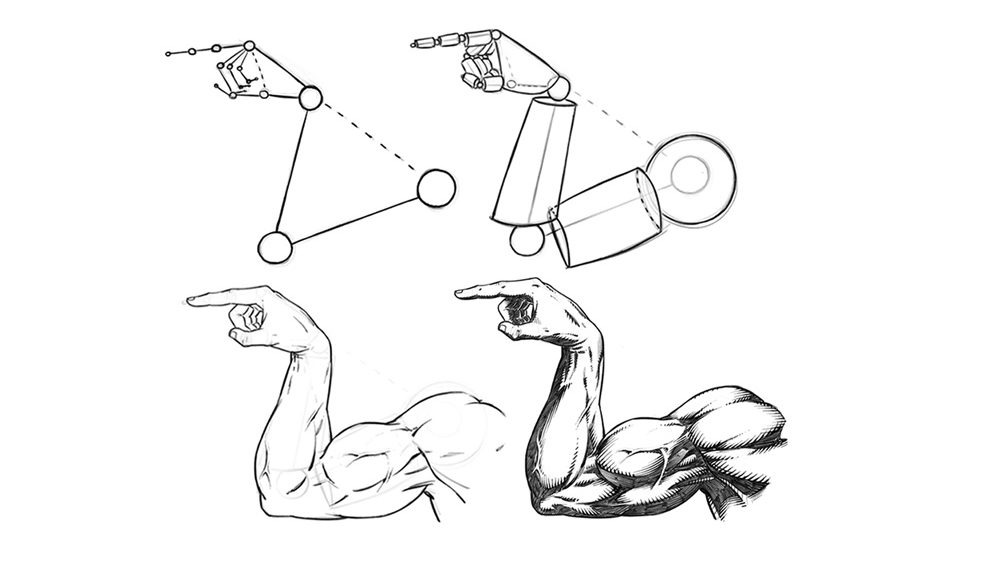
Step 1 – Draw out the direction of the pose with the line and circle method. Think of these like the bones under the muscles and at this stage just focus on the length and direction of each section of the arm and hand. Notice the relationship from the wrist to the shoulder and the shape of the base of the hand from this angle.

They are both triangular. It helps to notice shapes like these to make your drawings more consistent.
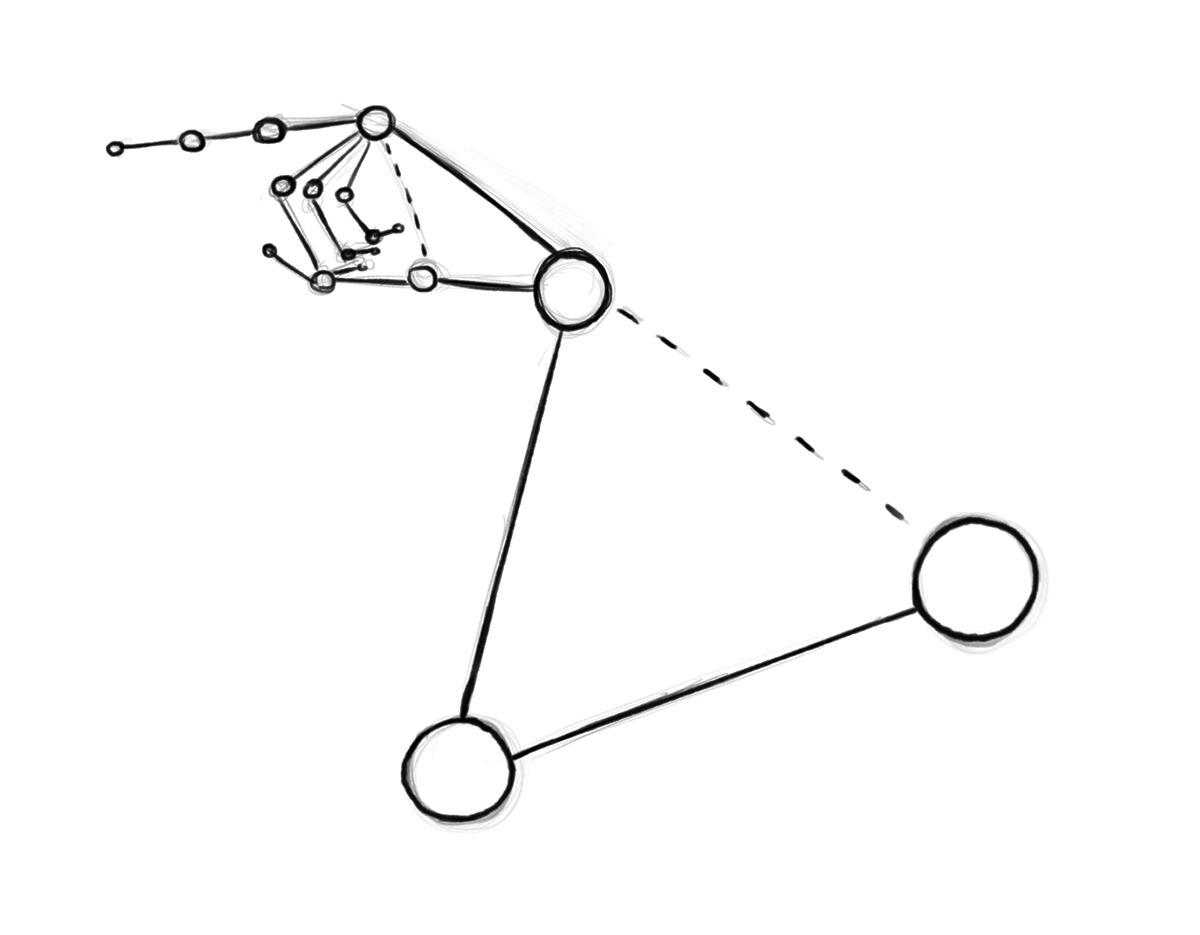
Drawing an Arm Pose – Step 1 – Arm Structure

Step 2 – Now draw out the cylinder shapes to establish the basic forms. Think of a mannequin or marionette. Keep it simple and still only think about proportions and direction of the segments. Also be open to changes at any stage of this process.  Correcting things early on will save you lots of time and heartache.
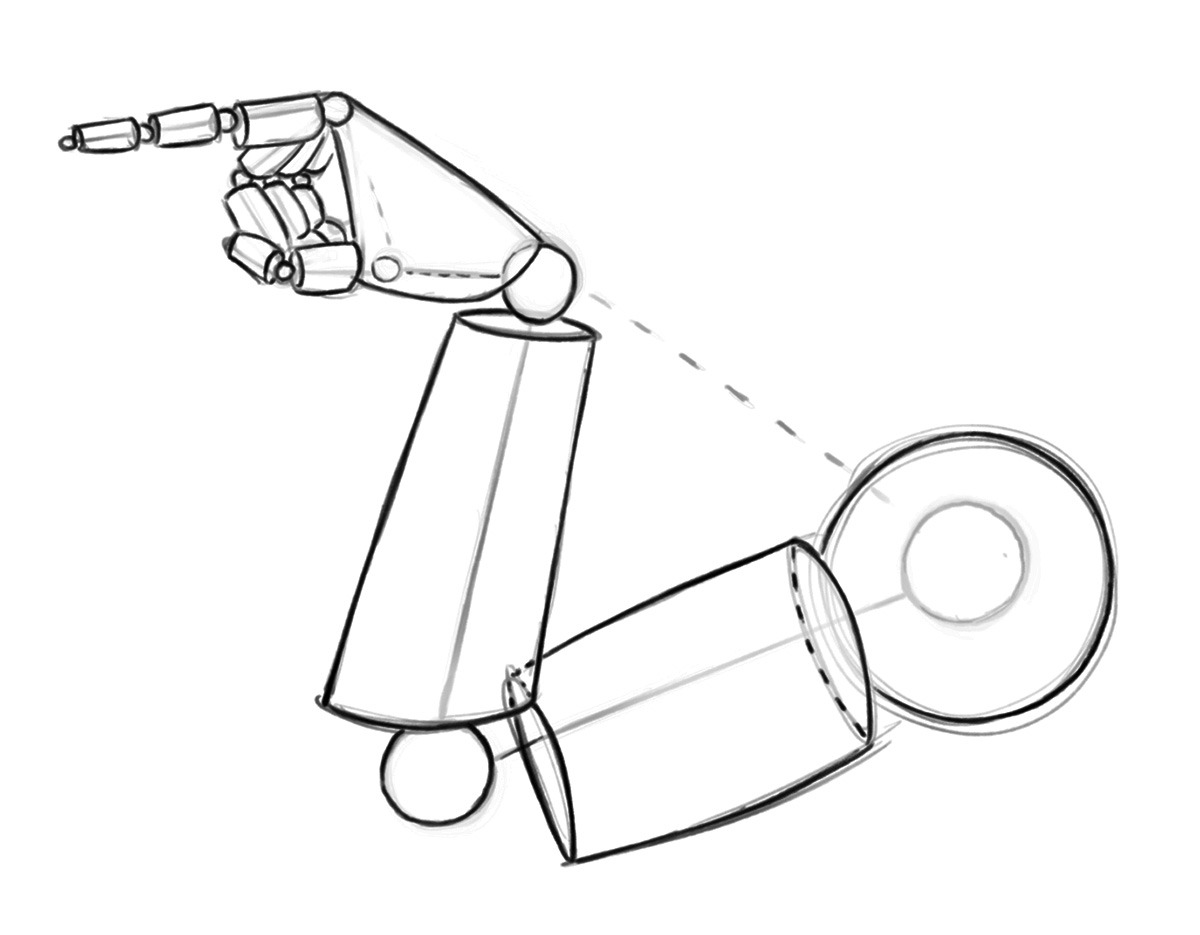
Drawing an Arm Pose – Step 2 – Basic Forms

Step 3 – Now soft erase your lines and start to draw more curvature for your anatomy. Notice the way that each area tapers inward to meet the next. The shoulder tapers in to meet the upper arm and the upper arm tapers in the meet the lower arm and so forth. And notice where I changed the shape of the anatomy to go inside and outside of the initial mannequin stage. The basic construction is only meant to be a guide, so I never hesitate to make changes if I see something that could be better.
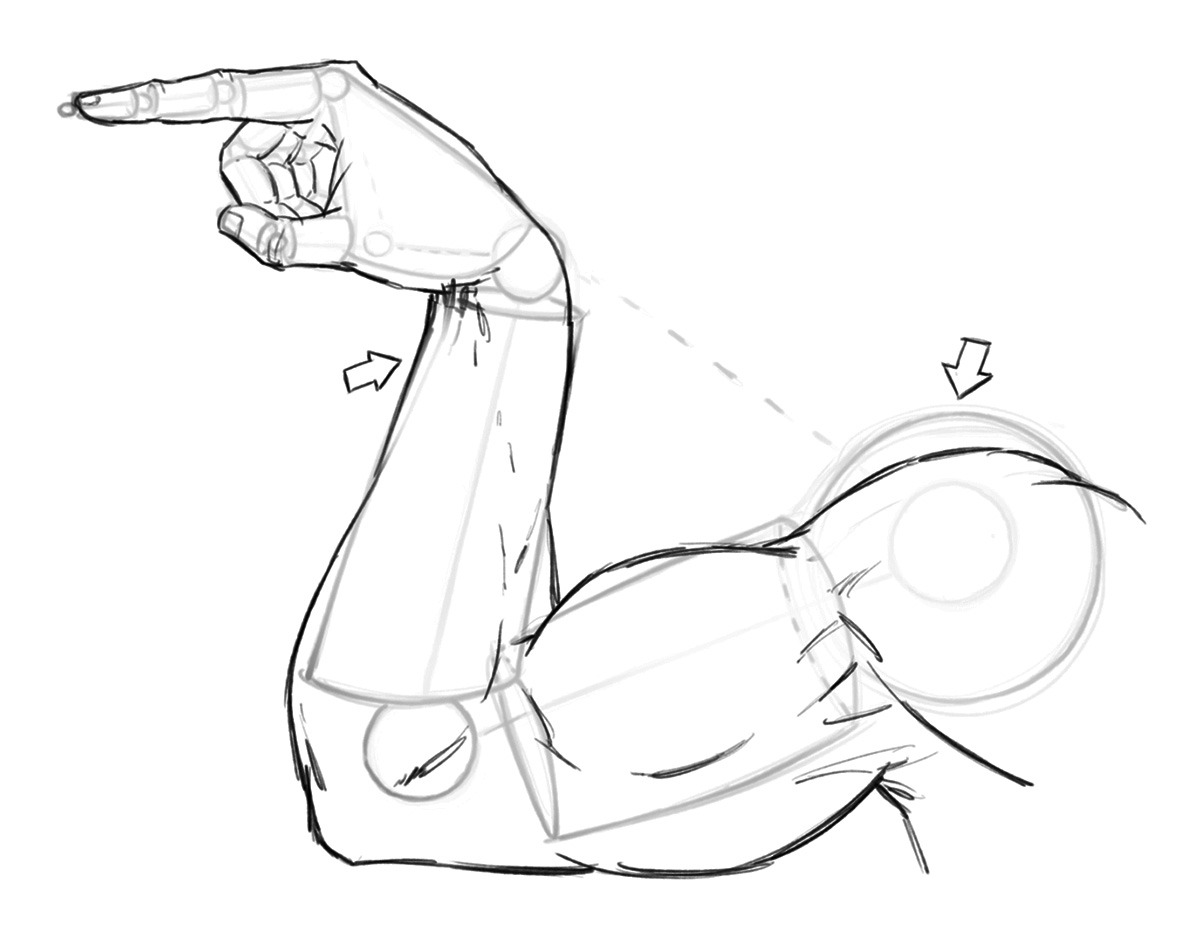
Drawing an Arm Pose – Step 3 – Anatomy

Quick Tip – Study anatomy often but improve over a long period of time. Don’t let the idea of perfection slow you or stop you from completing your work!

Step 4 – Now like before, soft erase your lines and begin to refine the anatomy a bit more. This time giving more line weight and clarity to the drawing. You can also start to draw in some veins to add to the depth and realism to the drawing.
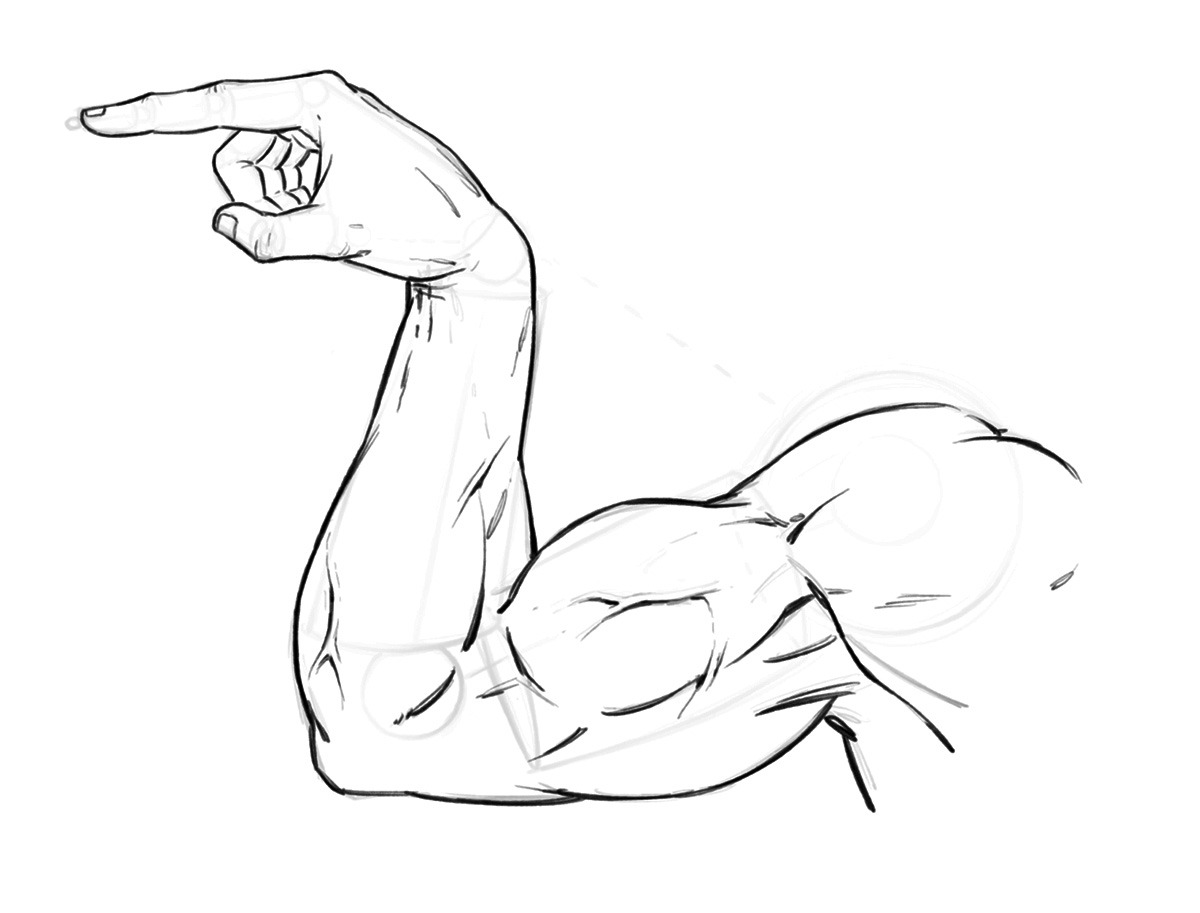
Drawing an Arm Pose – Step 4 – Refining the Line Work

Step 5 – Draw in the shapes of shadows to your muscles. And if you are working with an inker make sure to sketch the small x’s so they can read the artwork more clearly. You don’t necessary have to do this step if you are your own inker but it doesn’t hurt to get in the habit, just in case!
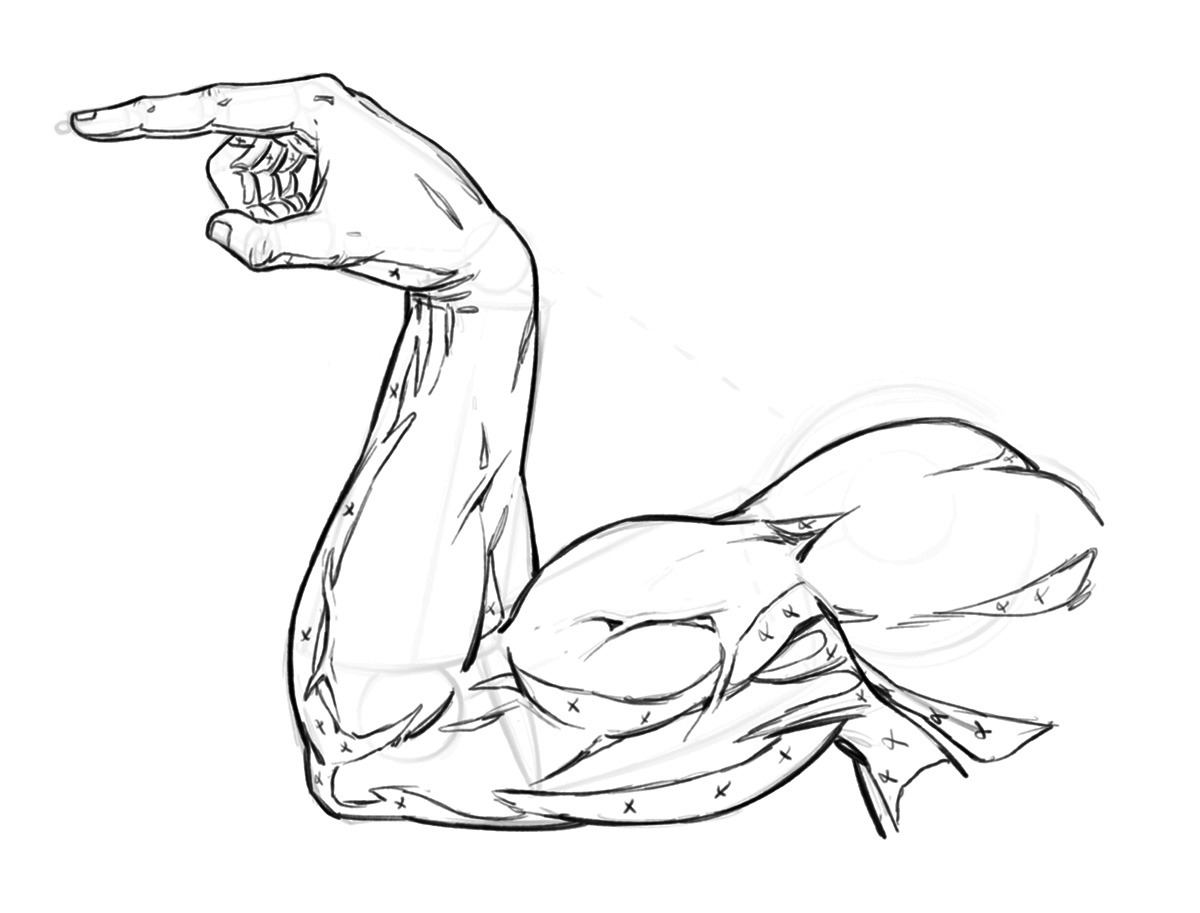
Drawing an Arm Pose – Step 5 – Adding in the Shapes of Shadows

Step 6 – Now add in your rendering lines and really start to make the artwork pop off the page. Notice how the veins cast a small shadow of their own on one side. And, how they catch light on them even in the shadow of the arm. This is more stylized but it gives the appearance of depth. Overall this is a very stylized arm drawing but that is the fun of comics, not everything has to be entirely accurate!
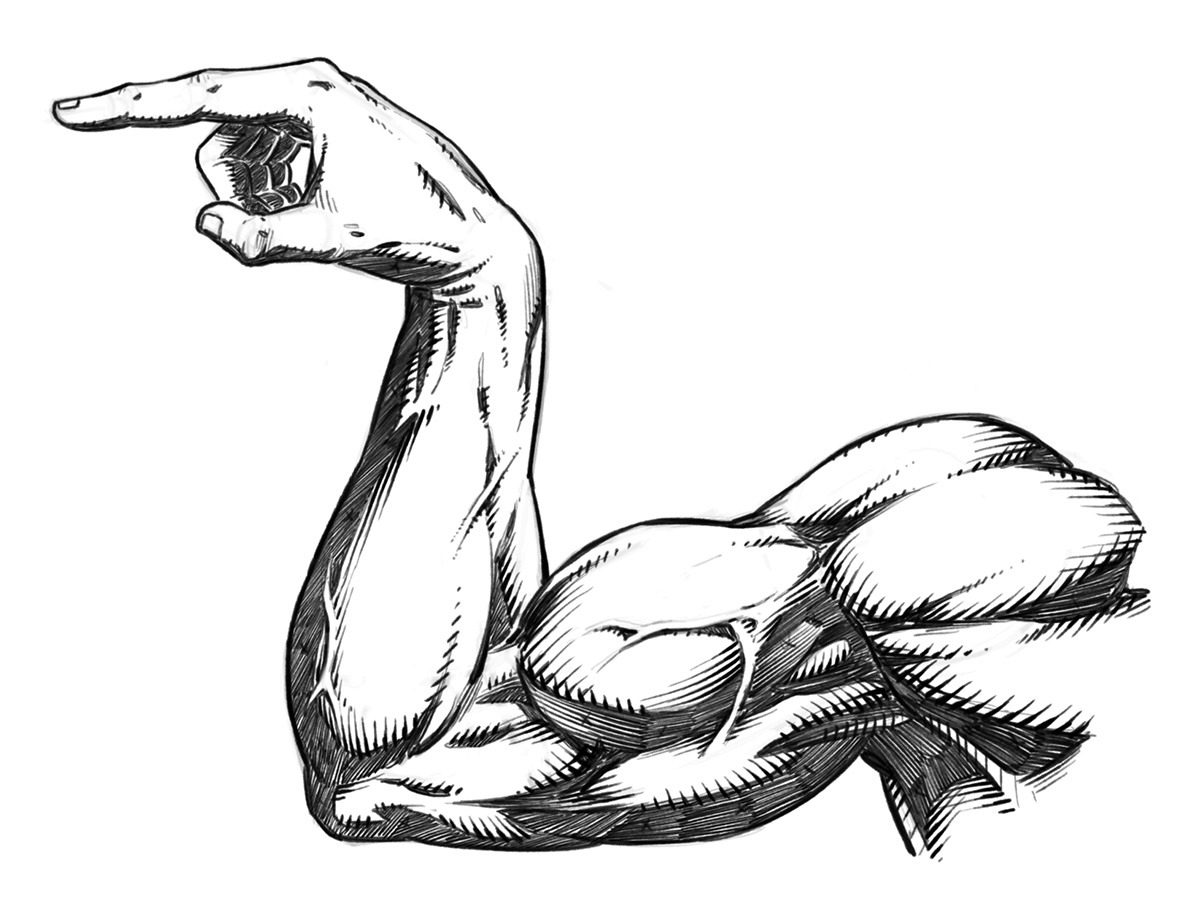
Drawing an Arm Pose – Step 6 – Rendering and Cross Hatching

I hope you’ve enjoy this quick tutorial on stylized arm anatomy for comics. This is a sample tutorial from my book “Learn to Draw Action Heroes” which you can find on Amazon or at Barnes and Nobel.

If you want more educational content like this and prefer video courses you can get them here – https://ram-studios-comics-art-school.teachable.com

Thank you for stopping by and more tutorials are on the way soon.

Keep drawing keep having fun! 🙂

-Robert
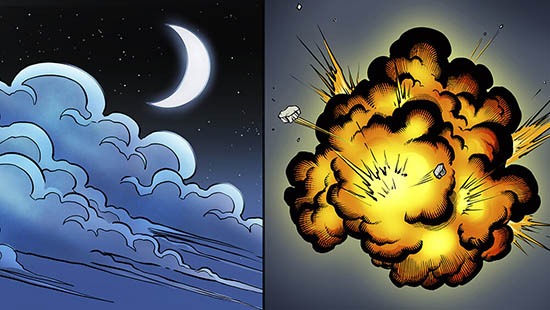
How to Draw Smoke + Clouds + Explosions for Comics

In my latest Youtube video I explain how to draw some of the basic dynamics for smoke, clouds, and explosions. These effects are widely used for comics and other forms of storytelling.

Drawing Smoke Clouds and Explosions for Comics

Check out the video below to see these two effects created!

Hopefully this post + video will help you get a bit better at drawing these elements within your own work. Remember if you don’t get it right the first time there is nothing to worry about. I didn’t either! Let’s jump in and start practicing.

Drawing Smoke

Let’s first start by drawing some basic smoke coming off a smoke stack. This is used in countless scenes in comics and is pretty much my favorite one to draw.

You can have this effect swirling in the background and make any city scene immediately look 10 times cooler. ( In my opinion of course! 😉

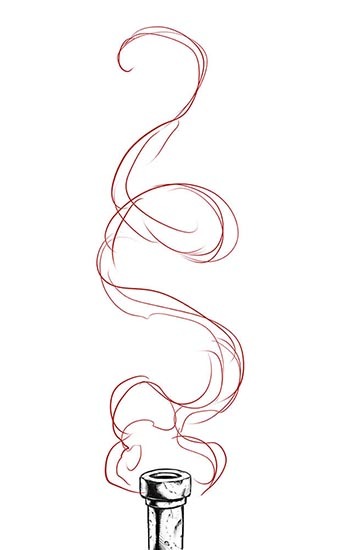
Step 1 – Start by drawing the area of influence or the basic flow of the smoke. Don’t be afraid to swirl it around a bit. I like to think about ribbons and scrolls when drawing smoke.

Drawing Smoke - Step 1
Drawing Smoke – Step 1

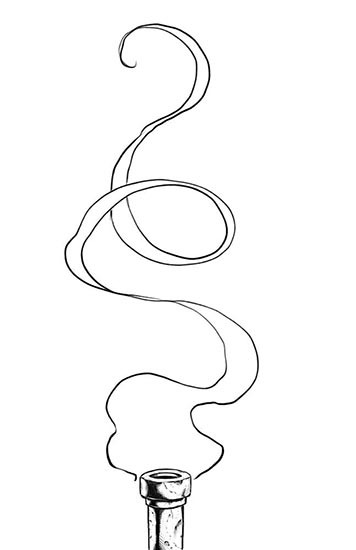
Step 2 – Erase back your construction lines or turn the opacity down on your layer. Then draw the smoke again with a bit more clarity. I like to go back and forth from thick to thin forms as the smoke rolls around. This way it looks more organic and dynamic. Use S and C curves for energy.

Drawing Smoke - Step 2
Drawing Smoke – Step 2

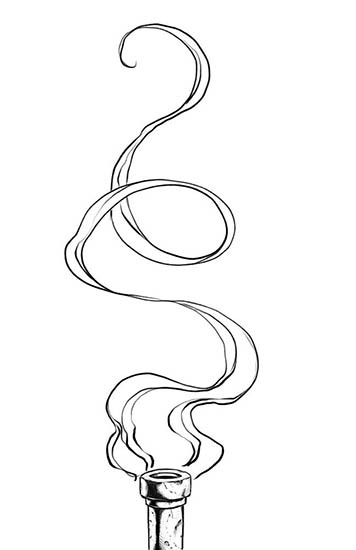
Step 3 – Draw in some of the interior lines. These can swirl around any which way you want. I like to start envisioning how the smoke might look with color at this stage. It helps me to think more dimensionally about the work as I go. You can also add in some line weight at this stage as well.

Drawing Smoke - Step 3
Drawing Smoke – Step 3

Next just ink and color it and voila! Comic book smoke! Just play with lots of variations and see what you can come up with. There is no right or wrong way with comic book smoke and art in general for that matter. If you’re having fun then your on the right track! 🙂

Watch my this Youtube video on the subject and get more tips and tricks on creating more effects.

I hope you enjoy the tutorials and more on the way soon!

Check out my Gumroad Store here for Video Course Content and Custom Brushes – http://www.gumroad.com/robertmarzullo

Let me know what other topics you would like to see covered on this blog and I will do my best to answer them with a new tutorial. I love doing break downs like this and your ideas help me to focus on what to do next.

Keep Drawing and Keep Having Fun!!

-ROB

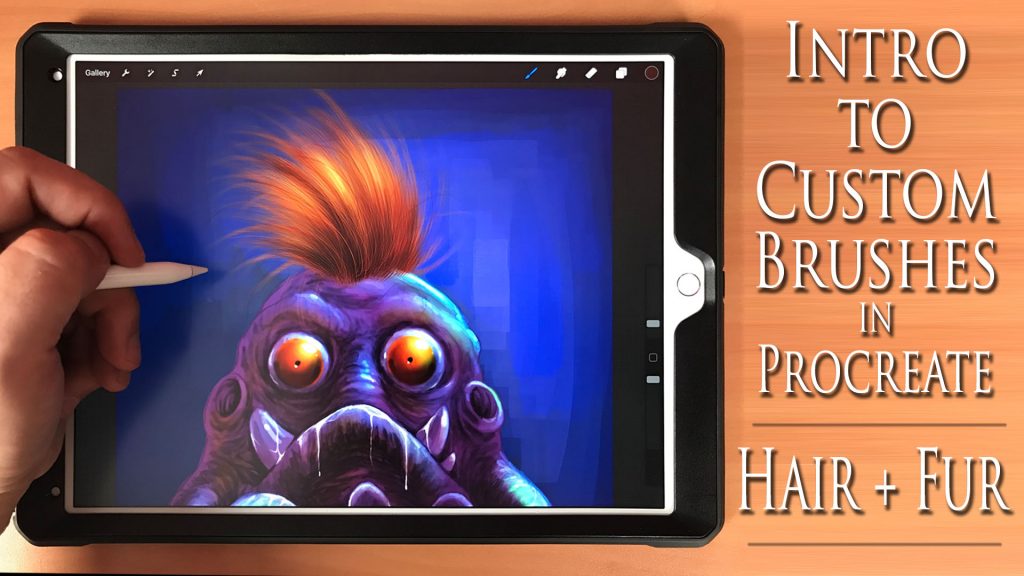
Intro to Custom Brushes in Procreate – Hair and Fur!

Intro to Procreate Brushes Tutorial

Intro to Custom Brushes in Procreate – Hair and Fur!

Hello Everyone!

I added a new class to my Skillshare called, “Intro to Custom Brushes in Procreate – Hair and Fur”. 

In this class, you learn how to create a custom hair and fur brush step by step. You also learn how to import/export brushes to share with your community.

After creating the brush we demonstrate it by giving this little monster some hair.  I show you how to adjust the brush for various effects as it is being used.

You get the art file and brush document to practice with.  I will be creating more custom brush classes using Procreate so please let me know what you would like to see in the future!  The next class will be on texture brushes.

Thanks for stopping by and you can get the class here on Skillshare – https://skl.sh/2MuEAqU
( You get 2 months free for signing up with this link! )

— NOTE — Remember if you already have my Udemy course on “Procreate Like a Pro”, this has been added and simply need to re-visit the course to view the new lessons.

If you prefer getting the entire course on Udemy,  please use this coupon code – https://www.udemy.com/procreate-like-a-pro-create-awesome-digital-art-on-an-ipad/?couponCode=RAMSTDIOSCOMICS101

Good luck with your studies and I am here if you have any questions!

-Rob

How to Draw Comic Style Heads – Step by Step – From Any Angle

How to Draw Comic Style Heads From Any Angle
How to Draw Comic Style Heads From Any Angle by Robert A. Marzullo

How to Draw Comic Style Heads – Step by Step – From Any Angle

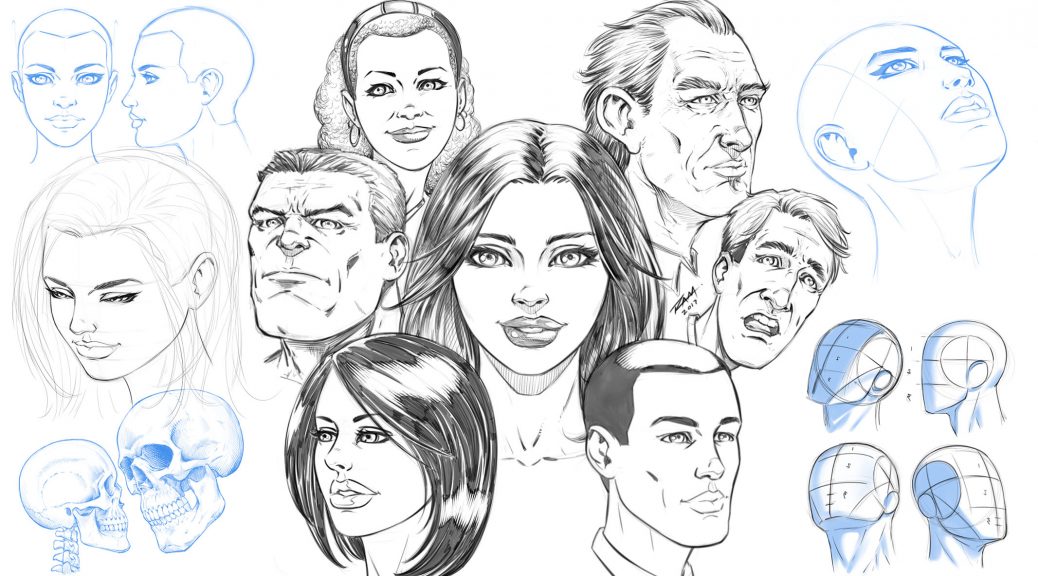
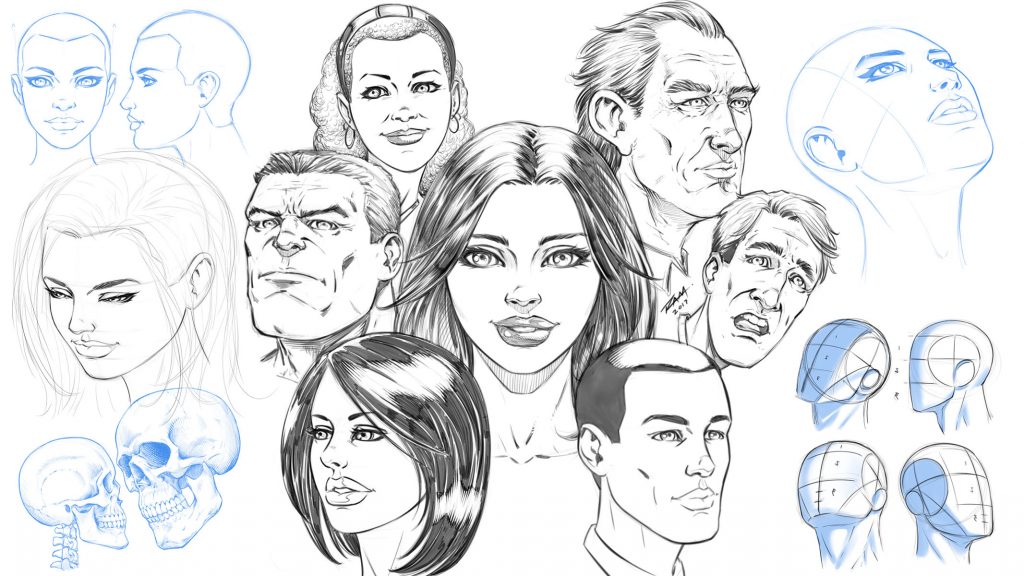
In this Course you will learn how to draw heads from a variety of angles and different styles. You will learn how to break down the head into thirds with the “Adrew Loomis” method. This will make turning the head on the page much easier to accomplish. You will also learn techniques for mapping out the facial features of your character. We cover front, side, upward angle, downward angle, with both male and female faces.

You will also learn how to draw the heads of your characters with a less structured approach. This comes with practice but it can be very fun and expressive to do.

This course is 25 Lectures and the Run Time is 4hrs 14min.
You get all the Art Files in a single PDF Document at 300dpi to work along with.

NOTE – In this how to draw comics style heads course I reference other lessons that are available on my Gumroad or Skillshare. I talk about the lessons that teach you about drawing eyes, noses, mouths, etc. They are not part of this course but may help you if you need work on those specific areas.

Next the Project File!!

I would love your feedback on these how to draw lessons and I would also like to see your work! Complete the project file that I talk about in the Promo Video. Feel free to message me through Gumroad or Tag me in a post using Twitter or Instagram.
Instagram – @robert_marzullo
Twitter – @RobertMarzullo

Watch the Promo Video here – https://youtu.be/aS_JcZNpmVQ

Check out the full course here –

https://ram-studios-comics-art-school.teachable.com/p/how-to-draw-heads-step-by-step-from-any-angle/?product_id=2447770&coupon_code=RAMSTUDIOSCOMICS777

I hope you find this course to be helpful and good luck with your studies! 🙂

Sincerely,

Robert A. Marzullo
Ram Studios Comics
www.staging.ramstudioscomics.com

New Lessons on How to Draw Comic Style Hair – Male Characters

How to Draw Comic Style Hair Male
How to Draw Comic Style Hair Male Characters

Welcome back everyone!

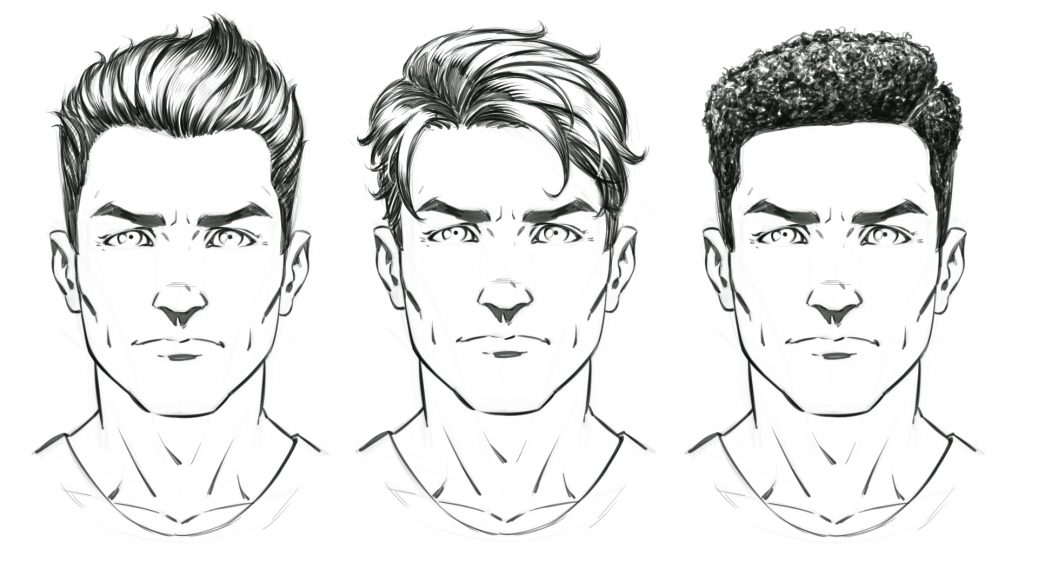
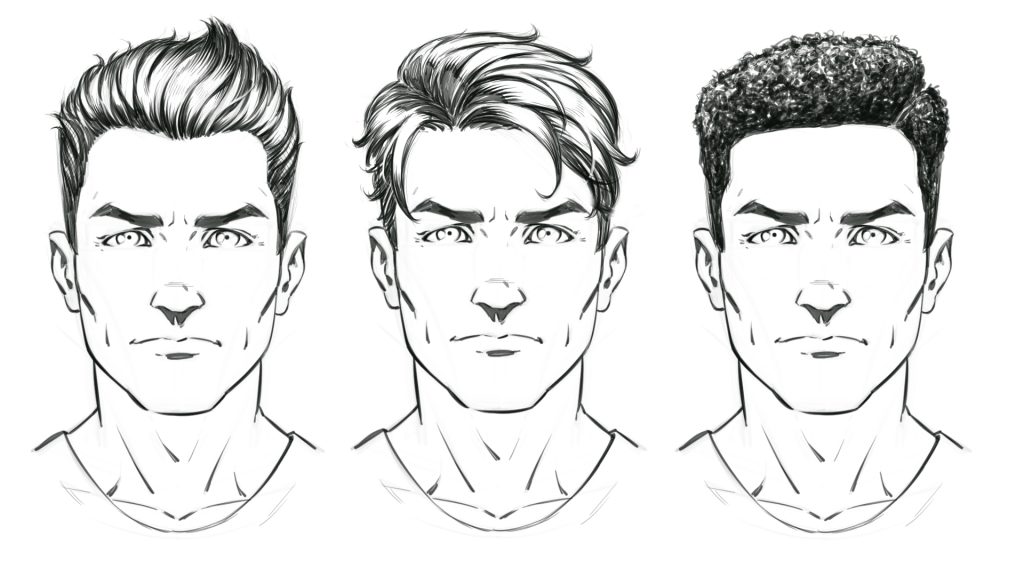
In this class you will learn how to draw these 3 hair styles. We will cover basic form and rendering techniques that will apply to not just these but lots of other various hair styles as well. This should give you a basic understanding of how to design your own favorite hair style for your cool characters!

You can get this class here on my Gumroad – https://gum.co/KsSja

Or on my Skillshare here – http://skl.sh/2Bu5spR

Run time is 49 Minutes / 5 Lessons / 2 Art files

You will start with a male face that I have created for you. This allows you to simply focus on the hair drawing and not worrying too much about the characters face. Try creating lots of variations over the same pose. See how much you can change the characters look with a new hair style! Have fun with it! 🙂

If you have any questions I am here to help and thank you for your support of my lessons! More on the way real soon….

Robert A. Marzullo

Ram Studios Comics

How to Draw Comic Style Eyes – Step by Step on Skillshare

How to Draw Comic Style Eyes

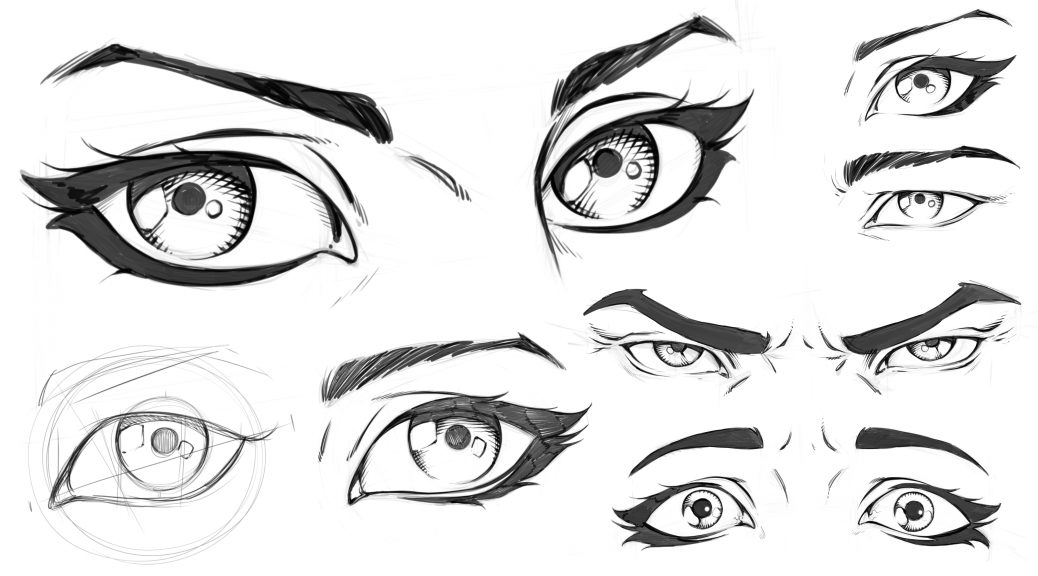
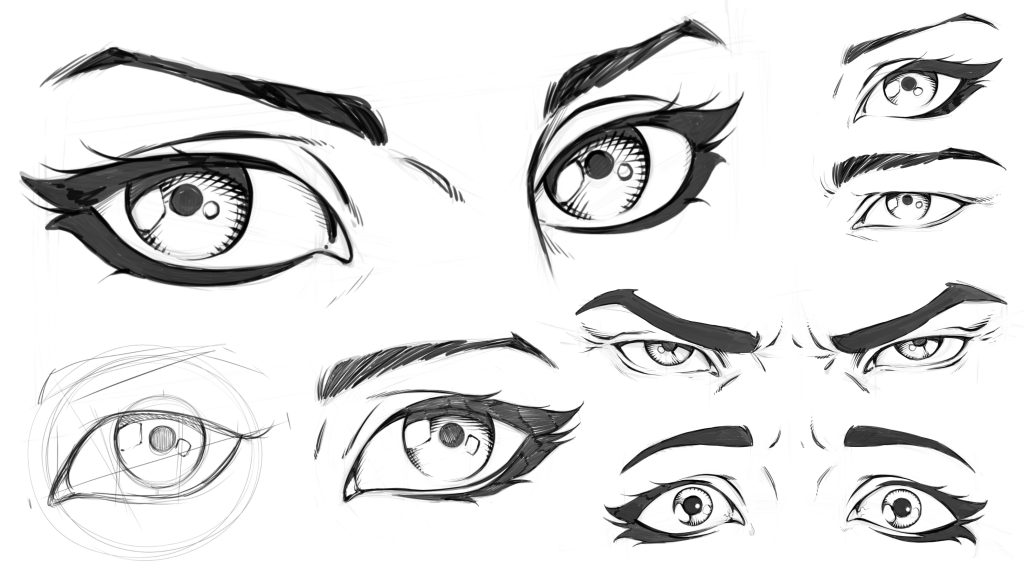
In these lessons you will learn how to draw eyes in a variety of ways. You will learn how to draw eyes on an angle. We will cover how to break down the eye shapes and what to look for when drawing male or female eyes. Then you will learn how to draw youthful or aged eyes. You will also learn some rendering techniques along the way.

This class is 5 lessons / 1 Hour Total. These lessons are not software specific and they only focus on the drawing techniques.

Lesson 1 – Constructing the Eye

Lesson 2 – Drawing Eyes on an Angle

Lesson 3 – Drawing Male Vs Female Eyes

Lesson 4 – Drawing Eyes with Anger and Fear

Lesson 5 – Drawing an Eye Young and Old

You will also get the art files to work along with.

Let me know what you think of these lessons and I am here if you have any questions!

Get these Lessons here on my Skillshare – http://skl.sh/2vO7FX0

Or on my Gumroad here – https://gum.co/Gbvb

Thanks for your support! 🙂

Robert A. Marzullo

Ram Studios Comics

www.staging.ramstudioscomics.com

Watch the promo video here –


Digital Painting in Manga Studio 5 – Character Design

Digital Painting in Manga Studio 5 – Character Design

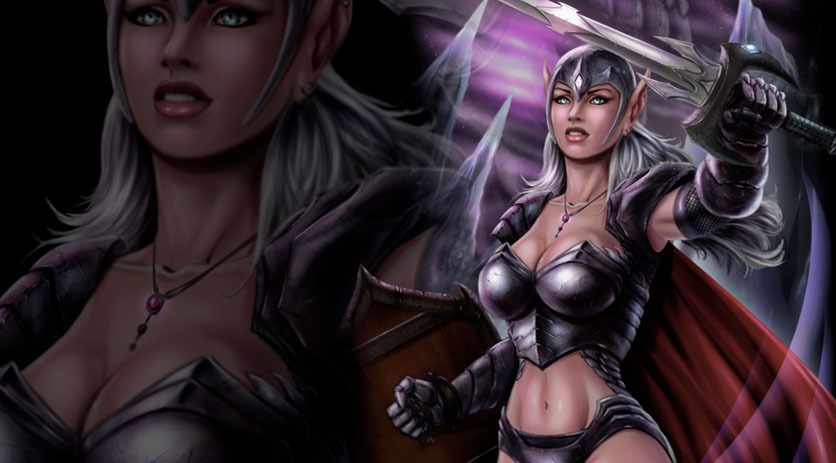
In this Course you will learn How to Create a Fantasy Art Character from the rough sketch all the way to the finished paint work. We start with the drawing process and I explain how to make changes to the concept and not get too worried about everything being perfect in the beginning. There are lots of ways to edit the work and keep pressing forward within Manga Studio 5 / Clip Studio Paint.

We will then cover how to lay in the base paint work and use that to create and save our selections. You will learn how to use the layers to aid in your painting process, as well as how to work in a non-destructive approach.

Once the foundational information is in place we will begin to apply our digital painting effects with a variety of brushes. ( You will get access to all the brushes I use in this Course. )

You will also learn how to create and apply a texture effect for the chain mail on the characters armor. We will be using the “Distort” and “Mesh Transformation” features to accomplish this.

Through this course you will learn how to use : Layers and Groups, Combine Modes ( Blending Modes ), Custom Brushes, Hard and Soft Edge Shadows, Layer Masks, Quick Masks, Blending Brushes, Tonal Correction, Mirrored Windows, as well as General Drawing and Painting Techniques.

This course is 9 Hours and 17 Minutes total run time. 35 Individual Lessons.

You get the Layered Art Files and the Custom Brushes to work along with.

I am here if you have any questions or feedback for me to make this a better Course for everyone. So please feel free to let me know!

I hope you find this content to be extremely informative and good luck with your ART! 😉

Get Lifetime Access to the course through my Gumroad here –

https://gum.co/cpHjA

Sincerely,

Robert A. Marzullo

Ram Studios Comics


Learn to Draw and Paint an Ogre Concept in Manga Studio 5 / Clip Studio Paint

Learn to Draw and Paint an Ogre Concept in Manga Studio 5 / Clip Studio Paint

___________________________________________________________________________

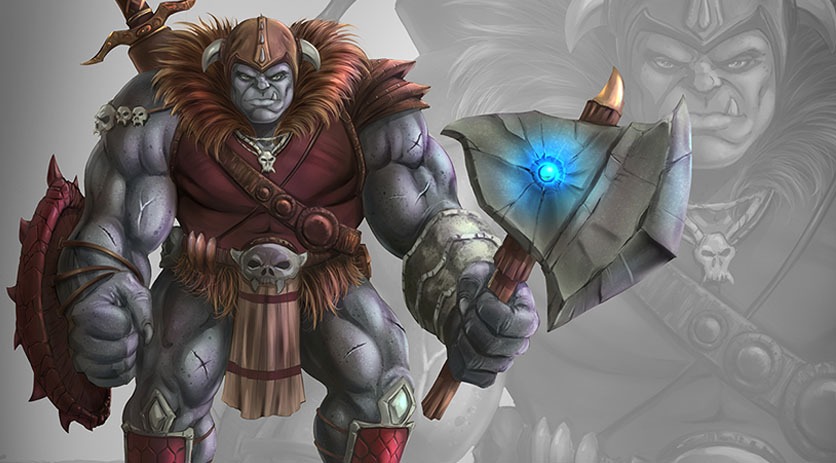
Welcome back everyone! I have some new course content to share with you today. It is on drawing and painting an Ogre character concept in Manga Studio 5 / Clip Studio Paint. In this course I will walk you through the entire process step by step while explaining the tools I use within this program.

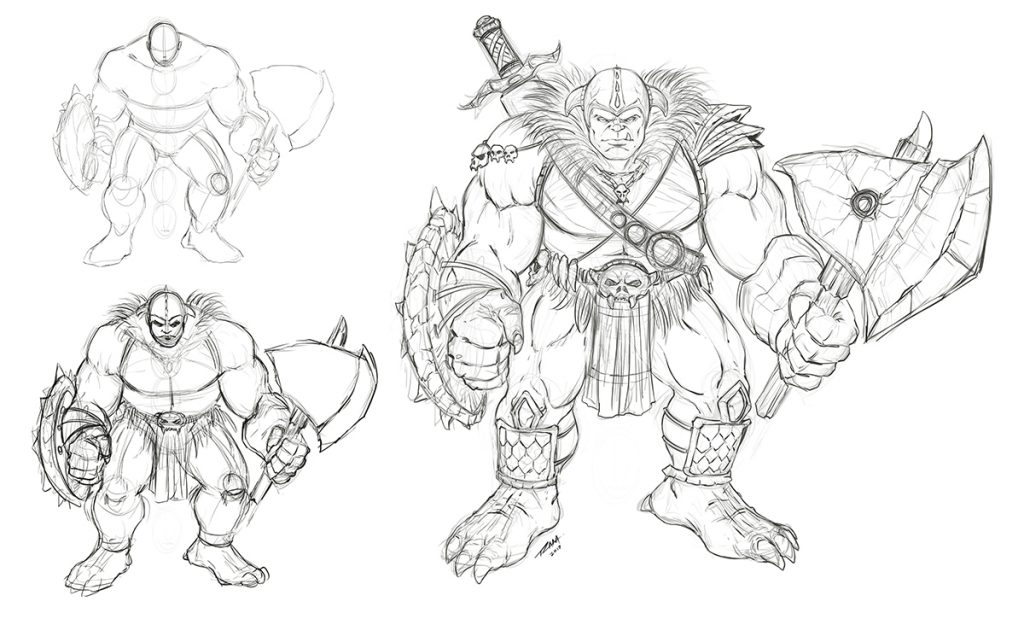
Ogre Concept Art Sketch by RAM

Drawing and Refining the Concept

We will first start with the rough sketch where you will learn how to define the overall proportions of this creature design. You will learn a series of techniques to adjust and add to the existing line work to get the desired look of the character. Then I will show you how to clean up the line work and get it ready for the digital painting process.

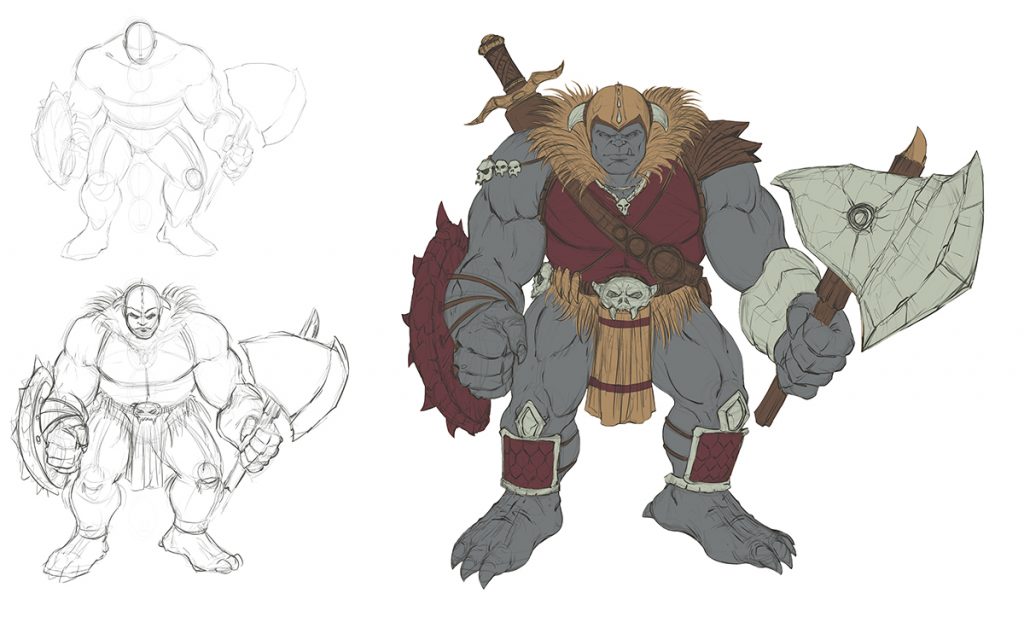
Ogre Concept Art Flats by RAM

Adding in the Flats and Separating the Work

In the next lessons we will go over how to add in the flat colors while segmenting the work. This will help us visualize the direction we are heading and aid in the painting process later on. Segmenting the work on complex characters or scenes can help you to retain a solid feel to the artwork until you build the confidence to no longer need these steps. Some artists use this method on every piece of artwork they create and others begin to use less and less layers over time as their skills with editing become more effective.  It is for you to decide what works best in your workflow.

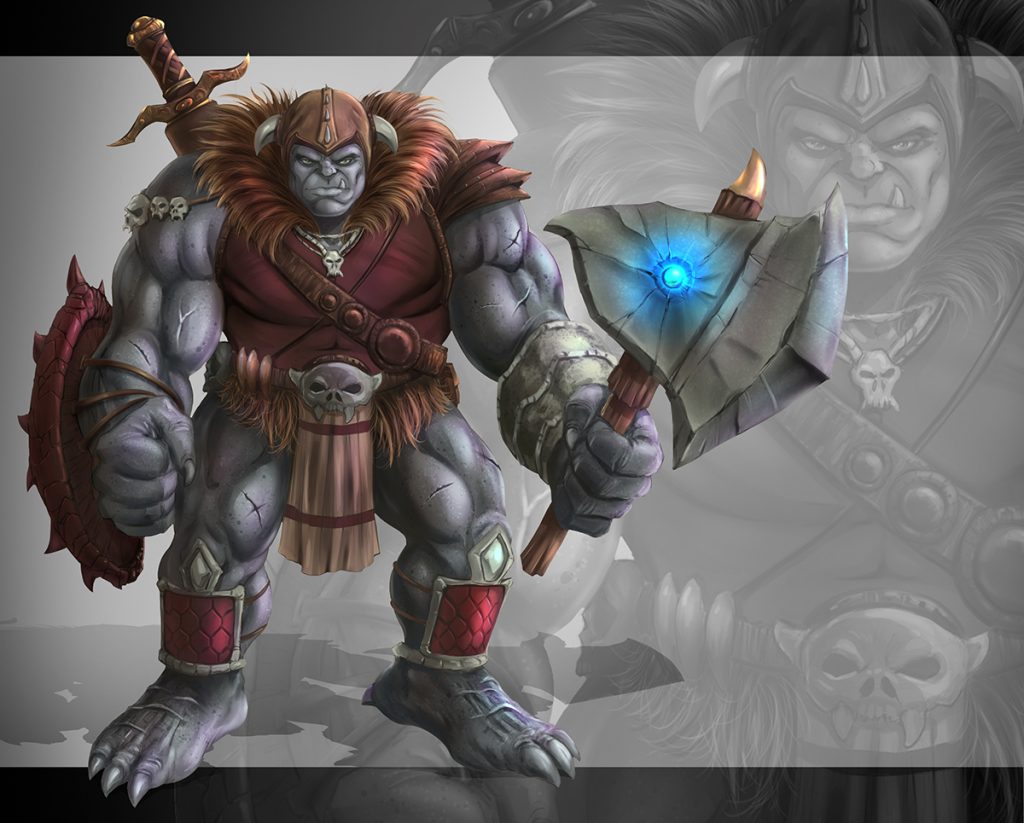
Ogre Concept Art Painted by RAM

After we have put all the foundational information in place we will begin to add in our digital painting effects. We will be using some custom brushes but not many. I have puposely created this artwork with a minimal set of brushes to show you that it can be done effectively with just a few good brushes. Amazing paintings can be done with just one brush but you will spend more time creating the effects you might be looking for. All the brushes I have used will be included with this course.

___________________________________________________________________________

This course consists of 19 step by step narrated lessons showing you how to draw and paint this character design. You get the art files and custom brushes to work along with. The total course is

4 Hours 29 Minutes long.

___________________________________________________________________________

So I am excited to know what you think and if you decide to take this course I hope you gain a lot of valuable techniques for your workflow. I am here if you have any questions!

You can get this entire Course on my Gumroad here – https://gum.co/lYFX

Robert A. Marzullo

Ram Studios Comics