Notice: Function _load_textdomain_just_in_time was called incorrectly. Translation loading for the simple-lightbox domain was triggered too early. This is usually an indicator for some code in the plugin or theme running too early. Translations should be loaded at the init action or later. Please see Debugging in WordPress for more information. (This message was added in version 6.7.0.) in /home2/h0a3d1p3/staging.ramstudioscomics.com/wp-includes/functions.php on line 6131
Deprecated: Creation of dynamic property WP_Rocket\Engine\Preload\SitemapPreloadSubscriber::$options is deprecated in /home2/h0a3d1p3/staging.ramstudioscomics.com/wp-content/plugins/wp-rocket/inc/Engine/Preload/SitemapPreloadSubscriber.php on line 26
Deprecated: Creation of dynamic property WP_Rocket\Engine\Preload\SitemapPreloadSubscriber::$sitemap_preload is deprecated in /home2/h0a3d1p3/staging.ramstudioscomics.com/wp-content/plugins/wp-rocket/inc/Engine/Preload/SitemapPreloadSubscriber.php on line 27
Notice: Function _load_textdomain_just_in_time was called incorrectly. Translation loading for the rocket domain was triggered too early. This is usually an indicator for some code in the plugin or theme running too early. Translations should be loaded at the init action or later. Please see Debugging in WordPress for more information. (This message was added in version 6.7.0.) in /home2/h0a3d1p3/staging.ramstudioscomics.com/wp-includes/functions.php on line 6131
Deprecated: Automatic conversion of false to array is deprecated in /home2/h0a3d1p3/staging.ramstudioscomics.com/wp-content/plugins/wp-rocket/inc/3rd-party/plugins/seo/yoast-seo.php on line 10
Deprecated: Use of "parent" in callables is deprecated in /home2/h0a3d1p3/staging.ramstudioscomics.com/wp-content/plugins/simple-lightbox/includes/class.options.php on line 501
Deprecated: Using ${var} in strings is deprecated, use {$var} instead in /home2/h0a3d1p3/staging.ramstudioscomics.com/wp-content/plugins/simple-lightbox/includes/class.field_type.php on line 435
Deprecated: Use of "parent" in callables is deprecated in /home2/h0a3d1p3/staging.ramstudioscomics.com/wp-content/plugins/simple-lightbox/includes/class.options.php on line 501
Deprecated: Use of "parent" in callables is deprecated in /home2/h0a3d1p3/staging.ramstudioscomics.com/wp-content/plugins/simple-lightbox/includes/class.options.php on line 501
Deprecated: Use of "parent" in callables is deprecated in /home2/h0a3d1p3/staging.ramstudioscomics.com/wp-content/plugins/simple-lightbox/includes/class.options.php on line 501
Deprecated: Use of "parent" in callables is deprecated in /home2/h0a3d1p3/staging.ramstudioscomics.com/wp-content/plugins/simple-lightbox/includes/class.options.php on line 501
Deprecated: Use of "parent" in callables is deprecated in /home2/h0a3d1p3/staging.ramstudioscomics.com/wp-content/plugins/simple-lightbox/includes/class.options.php on line 501
Deprecated: Use of "parent" in callables is deprecated in /home2/h0a3d1p3/staging.ramstudioscomics.com/wp-content/plugins/simple-lightbox/includes/class.options.php on line 501
Deprecated: Use of "parent" in callables is deprecated in /home2/h0a3d1p3/staging.ramstudioscomics.com/wp-content/plugins/simple-lightbox/includes/class.options.php on line 501
Deprecated: Use of "parent" in callables is deprecated in /home2/h0a3d1p3/staging.ramstudioscomics.com/wp-content/plugins/simple-lightbox/includes/class.options.php on line 501
Deprecated: Use of "parent" in callables is deprecated in /home2/h0a3d1p3/staging.ramstudioscomics.com/wp-content/plugins/simple-lightbox/includes/class.options.php on line 501
Deprecated: Use of "parent" in callables is deprecated in /home2/h0a3d1p3/staging.ramstudioscomics.com/wp-content/plugins/simple-lightbox/includes/class.options.php on line 501
Deprecated: Use of "parent" in callables is deprecated in /home2/h0a3d1p3/staging.ramstudioscomics.com/wp-content/plugins/simple-lightbox/includes/class.options.php on line 501
Deprecated: Use of "parent" in callables is deprecated in /home2/h0a3d1p3/staging.ramstudioscomics.com/wp-content/plugins/simple-lightbox/includes/class.options.php on line 501
Deprecated: Use of "parent" in callables is deprecated in /home2/h0a3d1p3/staging.ramstudioscomics.com/wp-content/plugins/simple-lightbox/includes/class.options.php on line 501
Deprecated: Use of "parent" in callables is deprecated in /home2/h0a3d1p3/staging.ramstudioscomics.com/wp-content/plugins/simple-lightbox/includes/class.options.php on line 501
Deprecated: Use of "parent" in callables is deprecated in /home2/h0a3d1p3/staging.ramstudioscomics.com/wp-content/plugins/simple-lightbox/includes/class.options.php on line 501
Deprecated: Use of "parent" in callables is deprecated in /home2/h0a3d1p3/staging.ramstudioscomics.com/wp-content/plugins/simple-lightbox/includes/class.options.php on line 501
Deprecated: Use of "parent" in callables is deprecated in /home2/h0a3d1p3/staging.ramstudioscomics.com/wp-content/plugins/simple-lightbox/includes/class.options.php on line 501
Deprecated: Use of "parent" in callables is deprecated in /home2/h0a3d1p3/staging.ramstudioscomics.com/wp-content/plugins/simple-lightbox/includes/class.options.php on line 501
Deprecated: Use of "parent" in callables is deprecated in /home2/h0a3d1p3/staging.ramstudioscomics.com/wp-content/plugins/simple-lightbox/includes/class.options.php on line 501
Deprecated: Use of "parent" in callables is deprecated in /home2/h0a3d1p3/staging.ramstudioscomics.com/wp-content/plugins/simple-lightbox/includes/class.options.php on line 501
Deprecated: Use of "parent" in callables is deprecated in /home2/h0a3d1p3/staging.ramstudioscomics.com/wp-content/plugins/simple-lightbox/includes/class.options.php on line 501
Deprecated: Use of "parent" in callables is deprecated in /home2/h0a3d1p3/staging.ramstudioscomics.com/wp-content/plugins/simple-lightbox/includes/class.options.php on line 501
Deprecated: Use of "parent" in callables is deprecated in /home2/h0a3d1p3/staging.ramstudioscomics.com/wp-content/plugins/simple-lightbox/includes/class.options.php on line 501
Deprecated: Use of "parent" in callables is deprecated in /home2/h0a3d1p3/staging.ramstudioscomics.com/wp-content/plugins/simple-lightbox/includes/class.options.php on line 501
Deprecated: Use of "parent" in callables is deprecated in /home2/h0a3d1p3/staging.ramstudioscomics.com/wp-content/plugins/simple-lightbox/includes/class.options.php on line 501
Deprecated: Use of "parent" in callables is deprecated in /home2/h0a3d1p3/staging.ramstudioscomics.com/wp-content/plugins/simple-lightbox/includes/class.options.php on line 501 paint Archives - Ram Studios Comics
Introduction to Digital Painting in Photoshop – Beginner’s Guide
Introduction to Digital Painting in Photoshop – Beginner’s Guide
Hello Digital Artists!
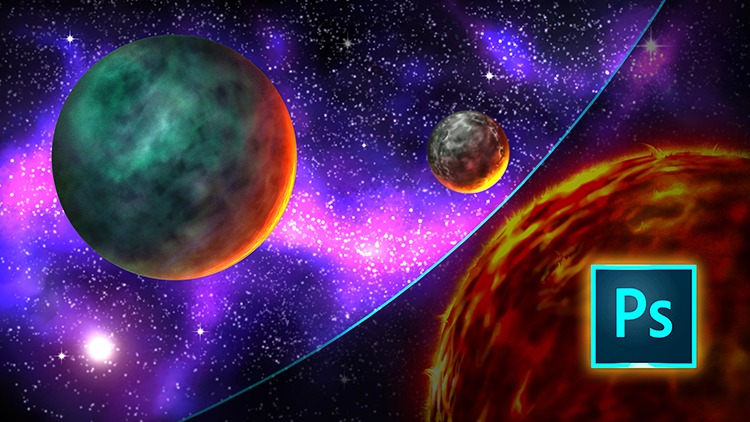
I have just released a new course, “Introduction to Digital Painting in Photoshop!” Very excited to be bringing you this course and I hope you learn a ton of great techniques to add to your skill set. Currently, this course sits at 33 Lectures and a Runtime of 3hrs 55 Minutes. ( You also get the Art Files + over 50 Custom Brushes to work with. )
In this course, you will learn all the basic tools and how I use them to create professional looking digital art in Photoshop. This course is designed to get you up and running with digital painting in Photoshop quickly and effectively. Without all the confusion and complex jargon. Photoshop is a massive program with tons of options and can quickly become a hindrance if it isn’t explained properly. I teach this course is an easy to understand way!
After covering all the basic tools and shortcut commands we jump into a scene creation. You will learn to illustrate this Space Scene from scratch. You will learn how to create this scene with a very simple approach. This way you can focus on being able to paint without learning all the complexities that Photoshop has to offer. This course is designed for the beginner to the intermediate digital artist in mind!
As with any of my courses, if you feel this content needs an additional lecture or two I am happy to help. Just message me and I will improve the course as soon as possible. Also, feel free to leave your honest review of this course so others will know what to expect!
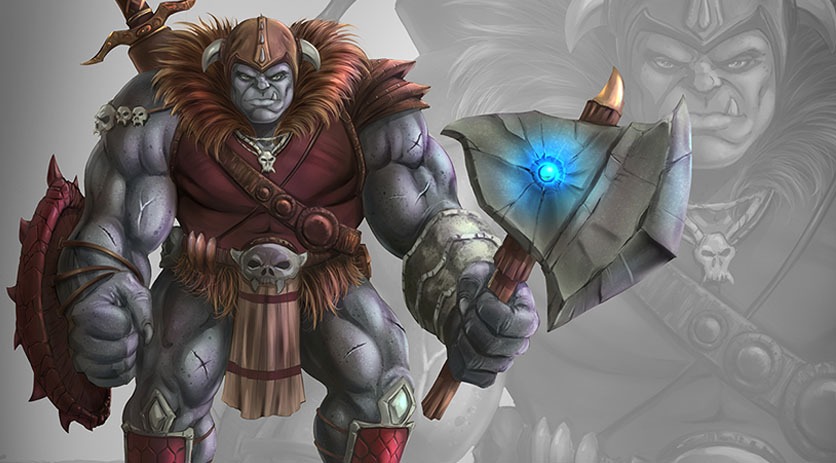
Welcome back everyone! I have some new course content to share with you today. It is on drawing and painting an Ogre character concept in Manga Studio 5 / Clip Studio Paint. In this course I will walk you through the entire process step by step while explaining the tools I use within this program.
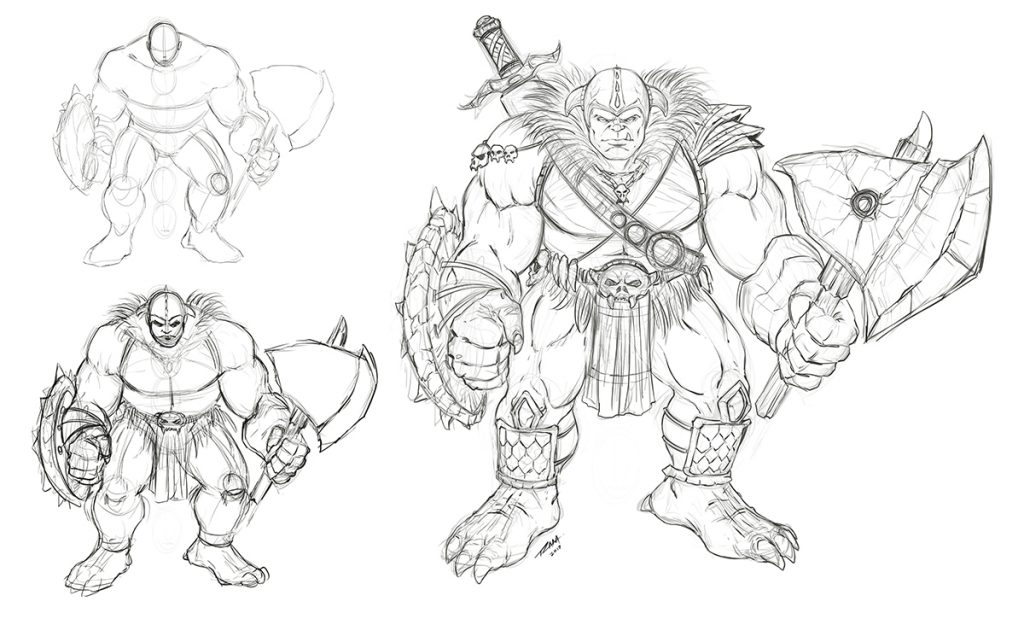
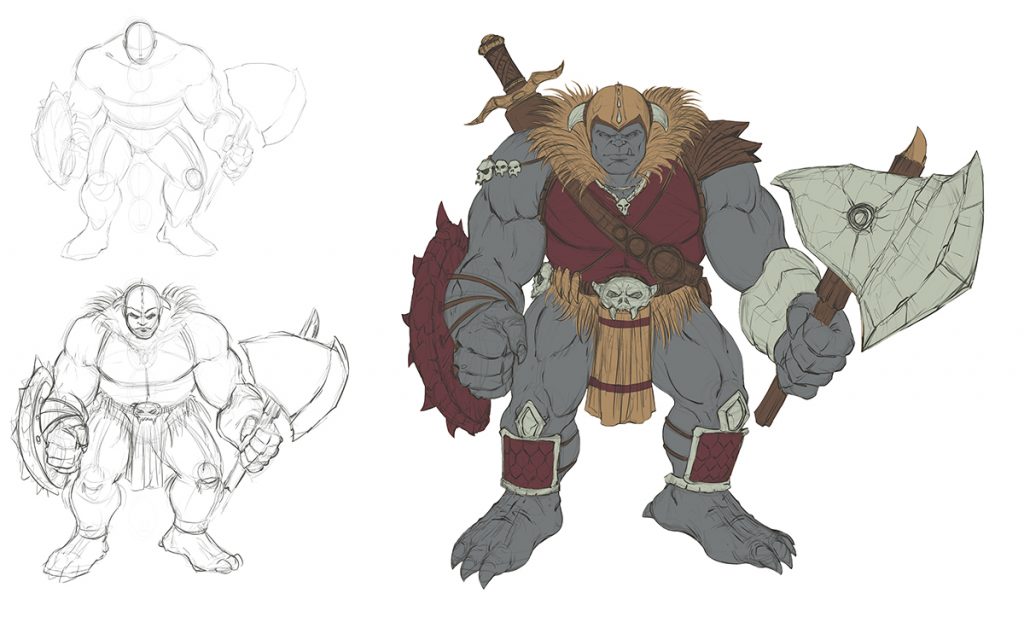
Ogre Concept Art Sketch by RAM
Drawing and Refining the Concept
We will first start with the rough sketch where you will learn how to define the overall proportions of this creature design. You will learn a series of techniques to adjust and add to the existing line work to get the desired look of the character. Then I will show you how to clean up the line work and get it ready for the digital painting process.
Ogre Concept Art Flats by RAM
Adding in the Flats and Separating the Work
In the next lessons we will go over how to add in the flat colors while segmenting the work. This will help us visualize the direction we are heading and aid in the painting process later on. Segmenting the work on complex characters or scenes can help you to retain a solid feel to the artwork until you build the confidence to no longer need these steps. Some artists use this method on every piece of artwork they create and others begin to use less and less layers over time as their skills with editing become more effective. It is for you to decide what works best in your workflow.
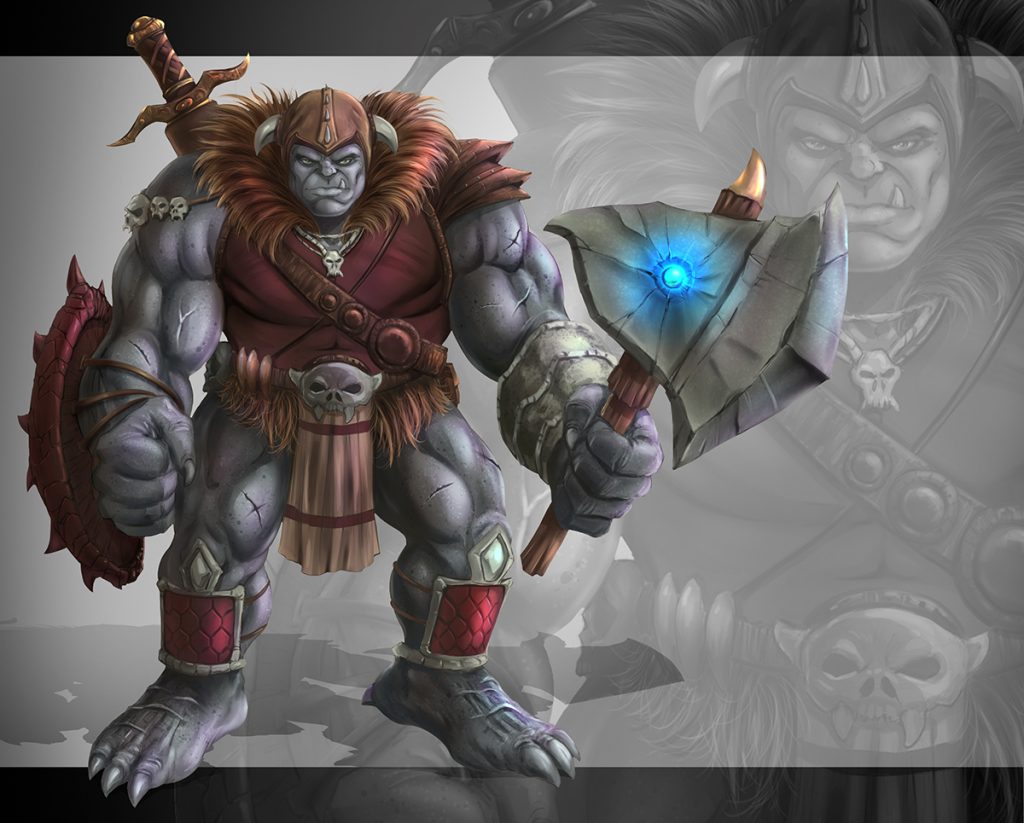
Ogre Concept Art Painted by RAM
After we have put all the foundational information in place we will begin to add in our digital painting effects. We will be using some custom brushes but not many. I have puposely created this artwork with a minimal set of brushes to show you that it can be done effectively with just a few good brushes. Amazing paintings can be done with just one brush but you will spend more time creating the effects you might be looking for. All the brushes I have used will be included with this course.
This course consists of 19 step by step narrated lessons showing you how to draw and paint this character design. You get the art files and custom brushes to work along with. The total course is
So I am excited to know what you think and if you decide to take this course I hope you gain a lot of valuable techniques for your workflow. I am here if you have any questions!
An Educational Resource for Comic Art Creators and Digital Painters.
Deprecated: trim(): Passing null to parameter #1 ($string) of type string is deprecated in /home2/h0a3d1p3/staging.ramstudioscomics.com/wp-content/plugins/simple-lightbox/includes/class.utilities.php on line 545