
Tag Archives: marvel comics

Comic Art Review – Livestream – Special Guest David Finch

Art Review Livestream with Special Guest David Finch

Welcome back comic art enthusiasts! We were honored to have the awesomely talented artist David Finch back on our humble little Youtube channel for another Art Review Livestream! As you probably already know, David Finch has worked in the comic industry for over 27 years and is  known for his work on Top Cow Productions’ Cyberforce, as well as numerous subsequent titles for Marvel Comics and DC Comics, such as The New Avengers, Moon Knight, Ultimatum, and Batman.  He has provided album cover art for the band Disturbed, and done concept art for films such as Watchmen.

With such an impressive resume we are very fortunate to have him reviewing the art of our aspiring colleagues. There is something entirely powerful about getting feedback from a pro. It helps us to see things that we otherwise might be struggling to figure out. I truly feel that this is an essential aspect of becoming a better comic book artist and probably the path of least resistance! Well, as long as we are ready to receive the information provided to us of course.

This is the third time David has been on our Youtube channel and each time he has taught us some very useful techniques. Even though this was more for the subscribers of the channel to benefit from you can bet I was taking my own notes! Hey, I’m still learning to you know! 😉

The other nice thing about this process is that David will sometimes stop what he is explaining and start drawing for the student. This is insanely beneficial as you might expect because as artists we are generally visual learners. These interactive sketches just seem to make things click. It is one of the reasons why we do so much better in a studio with other skillful individuals. By watching their approach and being able to ask questions we tend to gain a sense of confidence. Unfortunately, not all of us have that opportunity so these live sessions are the next best thing in my honest opinion.
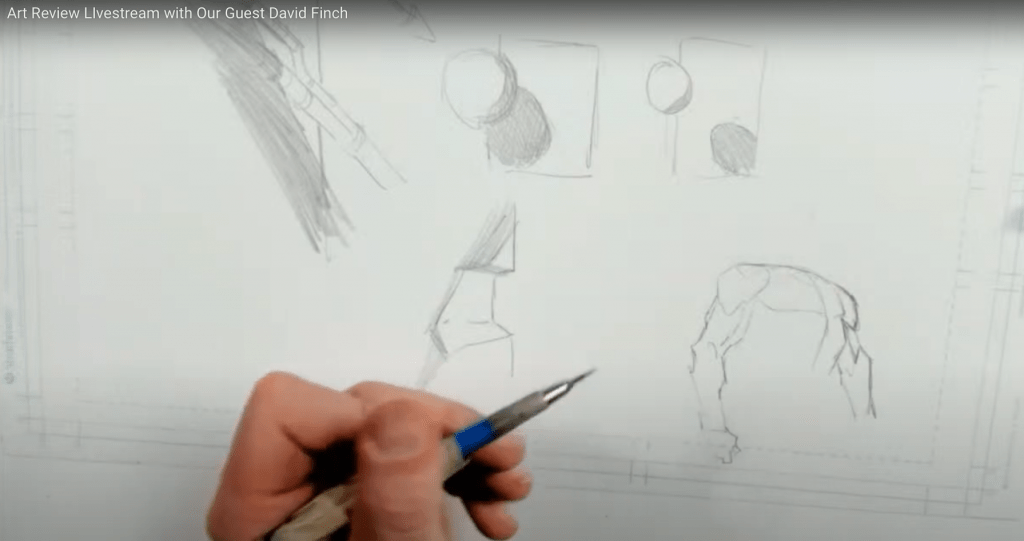
David Finch explaining some techniques to a student.

If you weren’t able to attend you are welcome to watch the latest episode here –

David is also creating some exceptional course content for us to learn from. You can find his comic art courses here on his site. I have taken a few and they are exceptional and well worth the price!

Check out David’s Courses here on his website – https://davidfinchart.com​

You can support his Youtube channel here – https://www.youtube.com/c/DavidFinchartist

Thanks for stopping by and we hope to see you on the next Art Review Livestream. Keep drawing and keep having fun!

Sincerely,

Robert A. Marzullo Ram Studios Comics

Drawing Comic Style Art in Procreate – On the iPad Pro

Venom Comic Art by RAM

Hello Everyone!

I hope all is well on your side of this crazy rock. I am having fun drawing some new fan art and I wanted to share a few things I have learned while doing so.  For those of you that don’t know my process let me explain.  I have been drawing comic art for over 20 years now and I used to work on good old bristol board but a few years back I decided to start working digitally. ( I was a messy inker! :>)  I know people are rolling their eyes right now.  Real artists use traditional tools, right?  I get it, you’re in love with the feeling of real paper.  I don’t blame you, I draw on paper as much as I can too.  Something about it just feels…..you know…natural!  I switched because I am a big fan of technology and I like to be on the forefront  of it all.  Plus, I really just wanted to ink digitally but then later realized the pencils were possible as well.  By creating all of it digitally I was saving a lot of time.  I no longer had to scan my pages which was always a pain.  I know a lot of artists just don’t want to make the switch.  I truly don’t blame you, to each their own I guess!

So when I started drawing digitally I bounced around to a few different drawing softwares.  I quickly realized Manga Studio 4 could create full comic books as a single document and gravitated over to that.  I was a little less than enticed about the drawing process on there.  I was still using an  Wacom Intuos 3 at the time so that was a bit of a hinderance as well.  I hadn’t fully gotten used to drawing on a “lap tablet” as I like to call them.  Then I switched to Sketchbook Pro for the pencils and it started to feel more natural.  Once I finally upgraded to a Wacom Cintiq 22, I was like a kid in a candy store!  I finally had a really nice drawing experience going on.  I could pencil and ink all on this device and with the two programs I felt like I was really getting somewhere.

With each new update the programs have gotten better and better. ( For the most part. ) I still didn’t feel like I was creating to the level that I could achieve on paper though.  Keep in mind, there is a learning curve with any and everything, so part of it could have been that.  I truly believe you can create amazing art with anything if you put your mind and heart into it!

Almost two years ago I started hearing people talk about the new iPad Pro coming out.  I was a bit skeptical at first.  Maybe good for amateurs but I am a pro and I need a big fat Cintiq on my table.  ( By pro I mean a starving artist of course. lol )  Upon seeing other artists work on this device I was quickly sold.  I loved the fluid marks they were making.  I also thought the Apple Pencil looked more comfortable to work with.  Plus I really wanted to be portable with my art creation process.  After taking the leap of faith I was quickly at home using the device.  It was very intuitive and I was creating the style of art I like rather quickly.

The only issues I had was not being able to use all my favorite programs.  I felt a bit stuck.  I really enjoy the feel of the device but was missing some great apps to take advantage of it.  I even used Astropad for a short time to help bridge the gap but it didn’t fit well into my workflow.  I then started using Procreate more and more.  Within a few updates this app was really starting to appeal to me.  Plus, it records videos and I am such a Youtube junkie these days! 🙂

You can check out my channel here by the way – http://www.youtube.com/c/robertmarzullo

The Procreate app is extremely well designed.  It moves quickly and the interfaces is so streamline you will forget it is there.  The brush engine is nothing short of amazing and it has the most natural drawing experience I have found thus far.  The Venom art above was drawn in this app.  About 90 percent of my work is done there now.  I still jump over to my Cintiq when I need dual monitors and have to get some multi-tasking done but I quickly jump back over to my iPad Pro and Procreate combo to knock out some sketches or comic art.

So I just want everyone that reads this to know that the iPad Pro and Procreate is a VERY solid solution to creating professional art on the move.  Great battery life and stable as can be!  I am here if you have any questions I can help with and if you want to learn more about how I use these two together you can check out my Udemy course here – https://www.udemy.com/procreate-like-a-pro-create-awesome-digital-art-on-an-ipad/?couponCode=RAMCOMICSPOST101

Good luck with your art and thanks for your support! 🙂

Robert A. Marzullo

Ram Studios Comics