Notice: Function _load_textdomain_just_in_time was called incorrectly. Translation loading for the simple-lightbox domain was triggered too early. This is usually an indicator for some code in the plugin or theme running too early. Translations should be loaded at the init action or later. Please see Debugging in WordPress for more information. (This message was added in version 6.7.0.) in /home2/h0a3d1p3/staging.ramstudioscomics.com/wp-includes/functions.php on line 6131
Deprecated: Creation of dynamic property WP_Rocket\Engine\Preload\SitemapPreloadSubscriber::$options is deprecated in /home2/h0a3d1p3/staging.ramstudioscomics.com/wp-content/plugins/wp-rocket/inc/Engine/Preload/SitemapPreloadSubscriber.php on line 26
Deprecated: Creation of dynamic property WP_Rocket\Engine\Preload\SitemapPreloadSubscriber::$sitemap_preload is deprecated in /home2/h0a3d1p3/staging.ramstudioscomics.com/wp-content/plugins/wp-rocket/inc/Engine/Preload/SitemapPreloadSubscriber.php on line 27
Notice: Function _load_textdomain_just_in_time was called incorrectly. Translation loading for the rocket domain was triggered too early. This is usually an indicator for some code in the plugin or theme running too early. Translations should be loaded at the init action or later. Please see Debugging in WordPress for more information. (This message was added in version 6.7.0.) in /home2/h0a3d1p3/staging.ramstudioscomics.com/wp-includes/functions.php on line 6131
Deprecated: Automatic conversion of false to array is deprecated in /home2/h0a3d1p3/staging.ramstudioscomics.com/wp-content/plugins/wp-rocket/inc/3rd-party/plugins/seo/yoast-seo.php on line 10
Deprecated: Use of "parent" in callables is deprecated in /home2/h0a3d1p3/staging.ramstudioscomics.com/wp-content/plugins/simple-lightbox/includes/class.options.php on line 501
Deprecated: Using ${var} in strings is deprecated, use {$var} instead in /home2/h0a3d1p3/staging.ramstudioscomics.com/wp-content/plugins/simple-lightbox/includes/class.field_type.php on line 435
Deprecated: Use of "parent" in callables is deprecated in /home2/h0a3d1p3/staging.ramstudioscomics.com/wp-content/plugins/simple-lightbox/includes/class.options.php on line 501
Deprecated: Use of "parent" in callables is deprecated in /home2/h0a3d1p3/staging.ramstudioscomics.com/wp-content/plugins/simple-lightbox/includes/class.options.php on line 501
Deprecated: Use of "parent" in callables is deprecated in /home2/h0a3d1p3/staging.ramstudioscomics.com/wp-content/plugins/simple-lightbox/includes/class.options.php on line 501
Deprecated: Use of "parent" in callables is deprecated in /home2/h0a3d1p3/staging.ramstudioscomics.com/wp-content/plugins/simple-lightbox/includes/class.options.php on line 501
Deprecated: Use of "parent" in callables is deprecated in /home2/h0a3d1p3/staging.ramstudioscomics.com/wp-content/plugins/simple-lightbox/includes/class.options.php on line 501
Deprecated: Use of "parent" in callables is deprecated in /home2/h0a3d1p3/staging.ramstudioscomics.com/wp-content/plugins/simple-lightbox/includes/class.options.php on line 501
Deprecated: Use of "parent" in callables is deprecated in /home2/h0a3d1p3/staging.ramstudioscomics.com/wp-content/plugins/simple-lightbox/includes/class.options.php on line 501
Deprecated: Use of "parent" in callables is deprecated in /home2/h0a3d1p3/staging.ramstudioscomics.com/wp-content/plugins/simple-lightbox/includes/class.options.php on line 501
Deprecated: Use of "parent" in callables is deprecated in /home2/h0a3d1p3/staging.ramstudioscomics.com/wp-content/plugins/simple-lightbox/includes/class.options.php on line 501
Deprecated: Use of "parent" in callables is deprecated in /home2/h0a3d1p3/staging.ramstudioscomics.com/wp-content/plugins/simple-lightbox/includes/class.options.php on line 501
Deprecated: Use of "parent" in callables is deprecated in /home2/h0a3d1p3/staging.ramstudioscomics.com/wp-content/plugins/simple-lightbox/includes/class.options.php on line 501
Deprecated: Use of "parent" in callables is deprecated in /home2/h0a3d1p3/staging.ramstudioscomics.com/wp-content/plugins/simple-lightbox/includes/class.options.php on line 501
Deprecated: Use of "parent" in callables is deprecated in /home2/h0a3d1p3/staging.ramstudioscomics.com/wp-content/plugins/simple-lightbox/includes/class.options.php on line 501
Deprecated: Use of "parent" in callables is deprecated in /home2/h0a3d1p3/staging.ramstudioscomics.com/wp-content/plugins/simple-lightbox/includes/class.options.php on line 501
Deprecated: Use of "parent" in callables is deprecated in /home2/h0a3d1p3/staging.ramstudioscomics.com/wp-content/plugins/simple-lightbox/includes/class.options.php on line 501
Deprecated: Use of "parent" in callables is deprecated in /home2/h0a3d1p3/staging.ramstudioscomics.com/wp-content/plugins/simple-lightbox/includes/class.options.php on line 501
Deprecated: Use of "parent" in callables is deprecated in /home2/h0a3d1p3/staging.ramstudioscomics.com/wp-content/plugins/simple-lightbox/includes/class.options.php on line 501
Deprecated: Use of "parent" in callables is deprecated in /home2/h0a3d1p3/staging.ramstudioscomics.com/wp-content/plugins/simple-lightbox/includes/class.options.php on line 501
Deprecated: Use of "parent" in callables is deprecated in /home2/h0a3d1p3/staging.ramstudioscomics.com/wp-content/plugins/simple-lightbox/includes/class.options.php on line 501
Deprecated: Use of "parent" in callables is deprecated in /home2/h0a3d1p3/staging.ramstudioscomics.com/wp-content/plugins/simple-lightbox/includes/class.options.php on line 501
Deprecated: Use of "parent" in callables is deprecated in /home2/h0a3d1p3/staging.ramstudioscomics.com/wp-content/plugins/simple-lightbox/includes/class.options.php on line 501
Deprecated: Use of "parent" in callables is deprecated in /home2/h0a3d1p3/staging.ramstudioscomics.com/wp-content/plugins/simple-lightbox/includes/class.options.php on line 501
Deprecated: Use of "parent" in callables is deprecated in /home2/h0a3d1p3/staging.ramstudioscomics.com/wp-content/plugins/simple-lightbox/includes/class.options.php on line 501
Deprecated: Use of "parent" in callables is deprecated in /home2/h0a3d1p3/staging.ramstudioscomics.com/wp-content/plugins/simple-lightbox/includes/class.options.php on line 501
Deprecated: Use of "parent" in callables is deprecated in /home2/h0a3d1p3/staging.ramstudioscomics.com/wp-content/plugins/simple-lightbox/includes/class.options.php on line 501
Deprecated: Use of "parent" in callables is deprecated in /home2/h0a3d1p3/staging.ramstudioscomics.com/wp-content/plugins/simple-lightbox/includes/class.options.php on line 501 comic art Archives - Ram Studios Comics
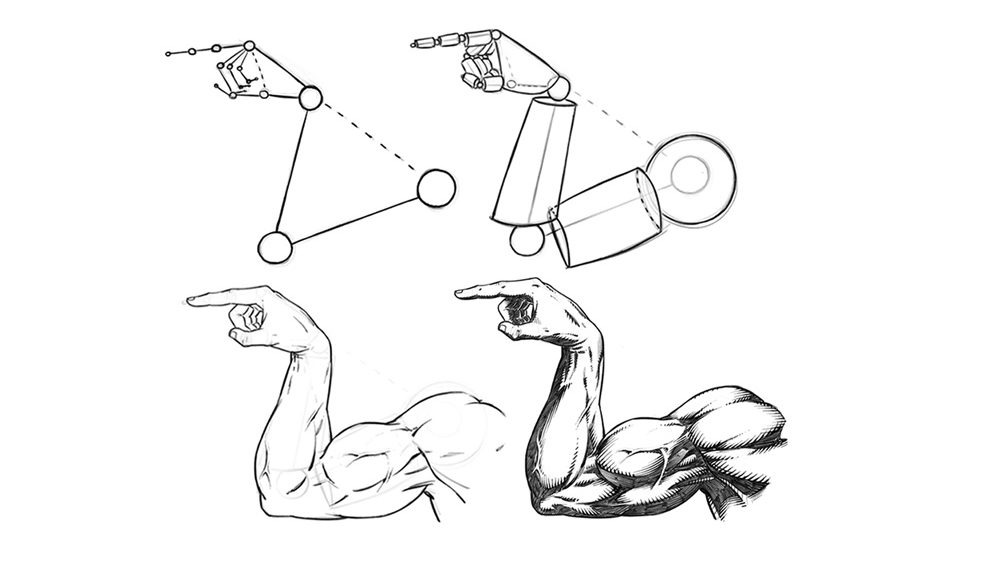
In this tutorial we will be drawing the outside of a male muscular arm. This time it’s the old, “Which Way to the Beach” pose. We have all done it one time or another, right? Let’s get to it!
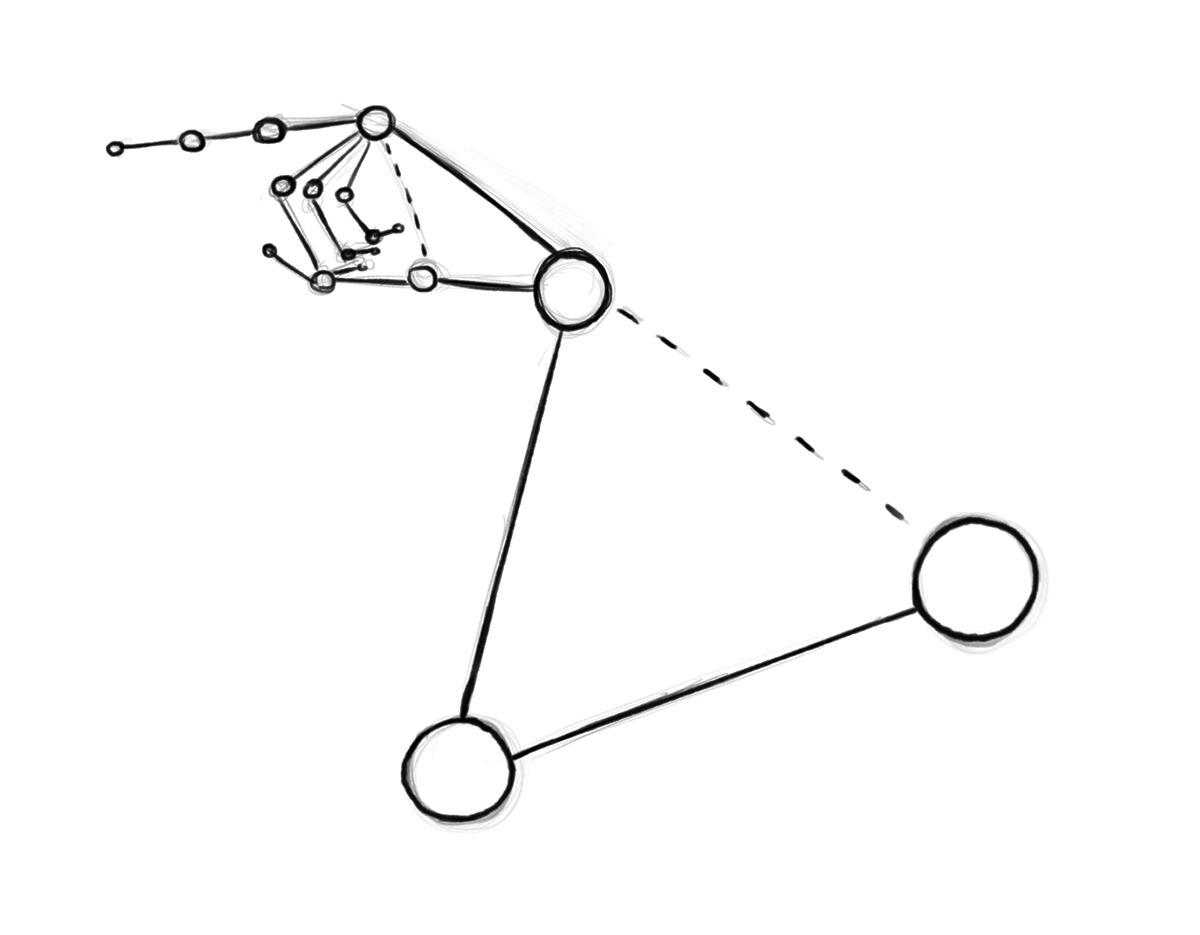
Step 1 – Draw out the direction of the pose with the line and circle method. Think of these like the bones under the muscles and at this stage just focus on the length and direction of each section of the arm and hand. Notice the relationship from the wrist to the shoulder and the shape of the base of the hand from this angle.
They are both triangular. It helps to notice shapes like these to make your drawings more consistent.
Drawing an Arm Pose – Step 1 – Arm Structure
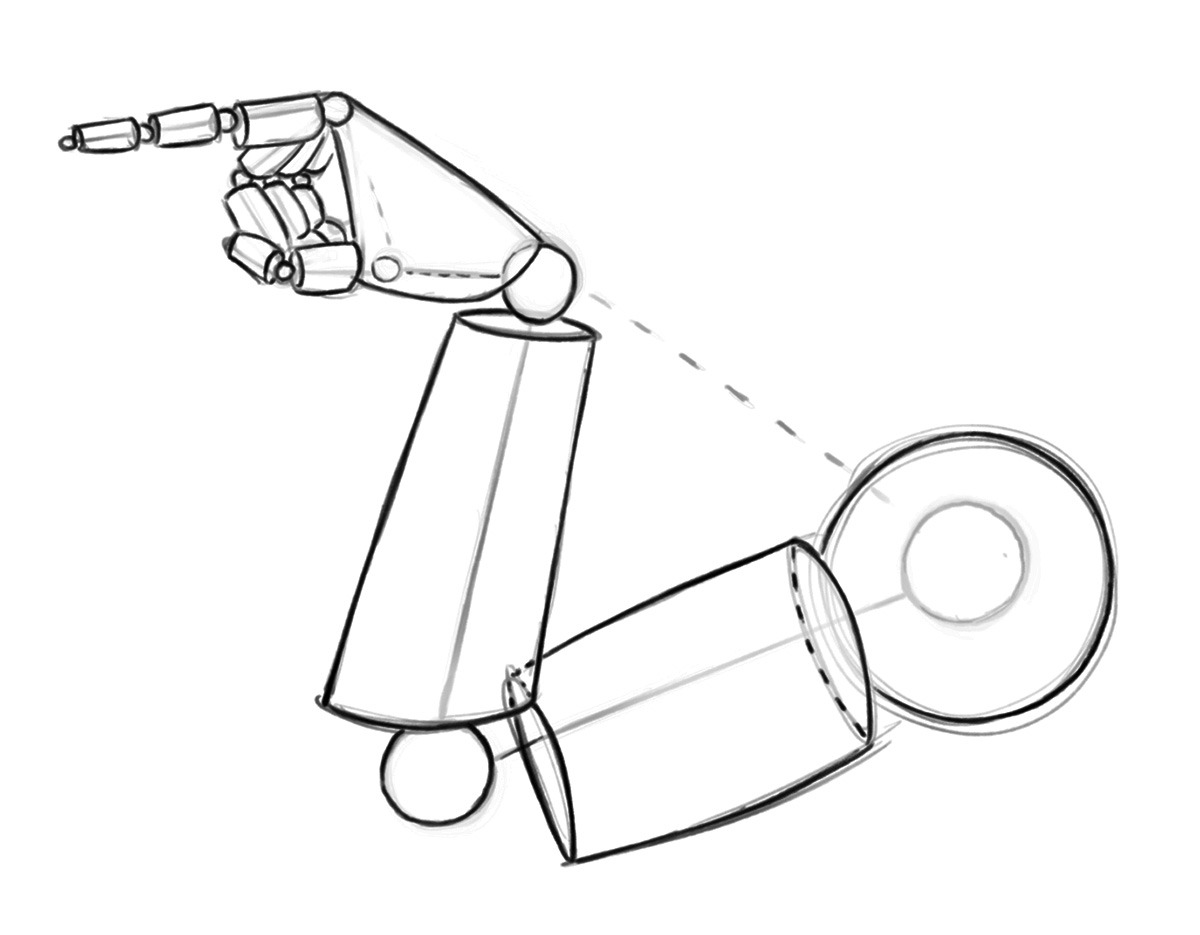
Step 2 – Now draw out the cylinder shapes to establish the basic forms. Think of a mannequin or marionette. Keep it simple and still only think about proportions and direction of the segments. Also be open to changes at any stage of this process. Correcting things early on will save you lots of time and heartache.
Drawing an Arm Pose – Step 2 – Basic Forms
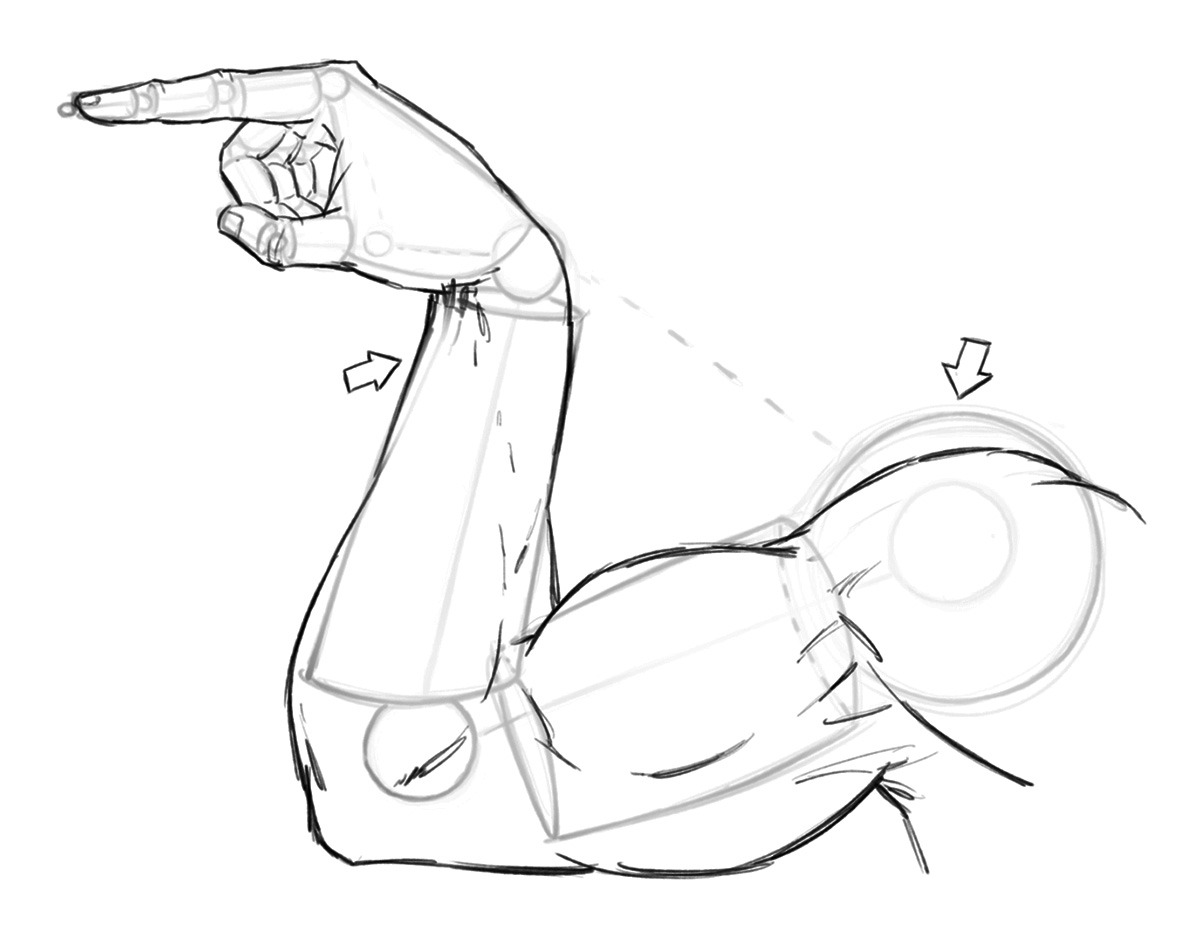
Step 3 – Now soft erase your lines and start to draw more curvature for your anatomy. Notice the way that each area tapers inward to meet the next. The shoulder tapers in to meet the upper arm and the upper arm tapers in the meet the lower arm and so forth. And notice where I changed the shape of the anatomy to go inside and outside of the initial mannequin stage. The basic construction is only meant to be a guide, so I never hesitate to make changes if I see something that could be better.
Drawing an Arm Pose – Step 3 – Anatomy
Quick Tip – Study anatomy often but improve over a long period of time. Don’t let the idea of perfection slow you or stop you from completing your work!
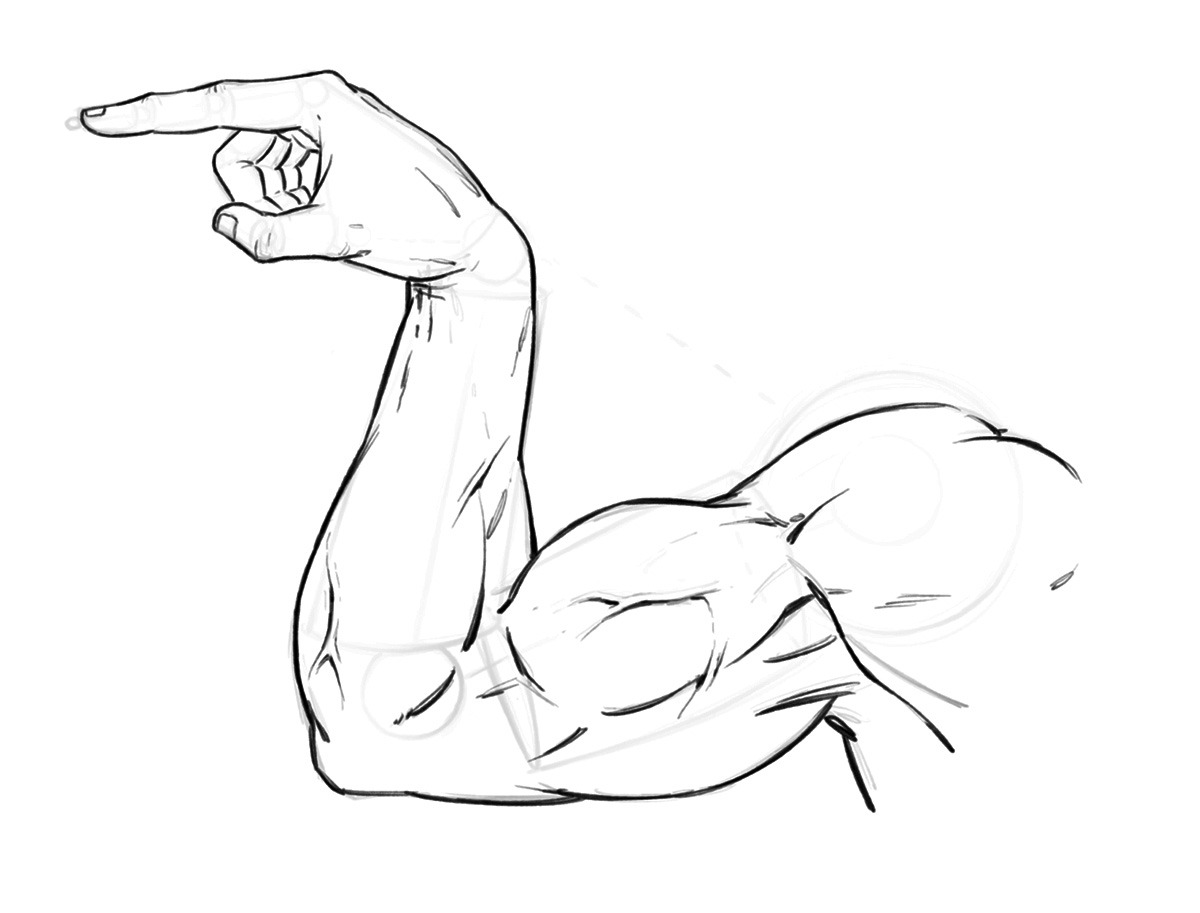
Step 4 – Now like before, soft erase your lines and begin to refine the anatomy a bit more. This time giving more line weight and clarity to the drawing. You can also start to draw in some veins to add to the depth and realism to the drawing.
Drawing an Arm Pose – Step 4 – Refining the Line Work
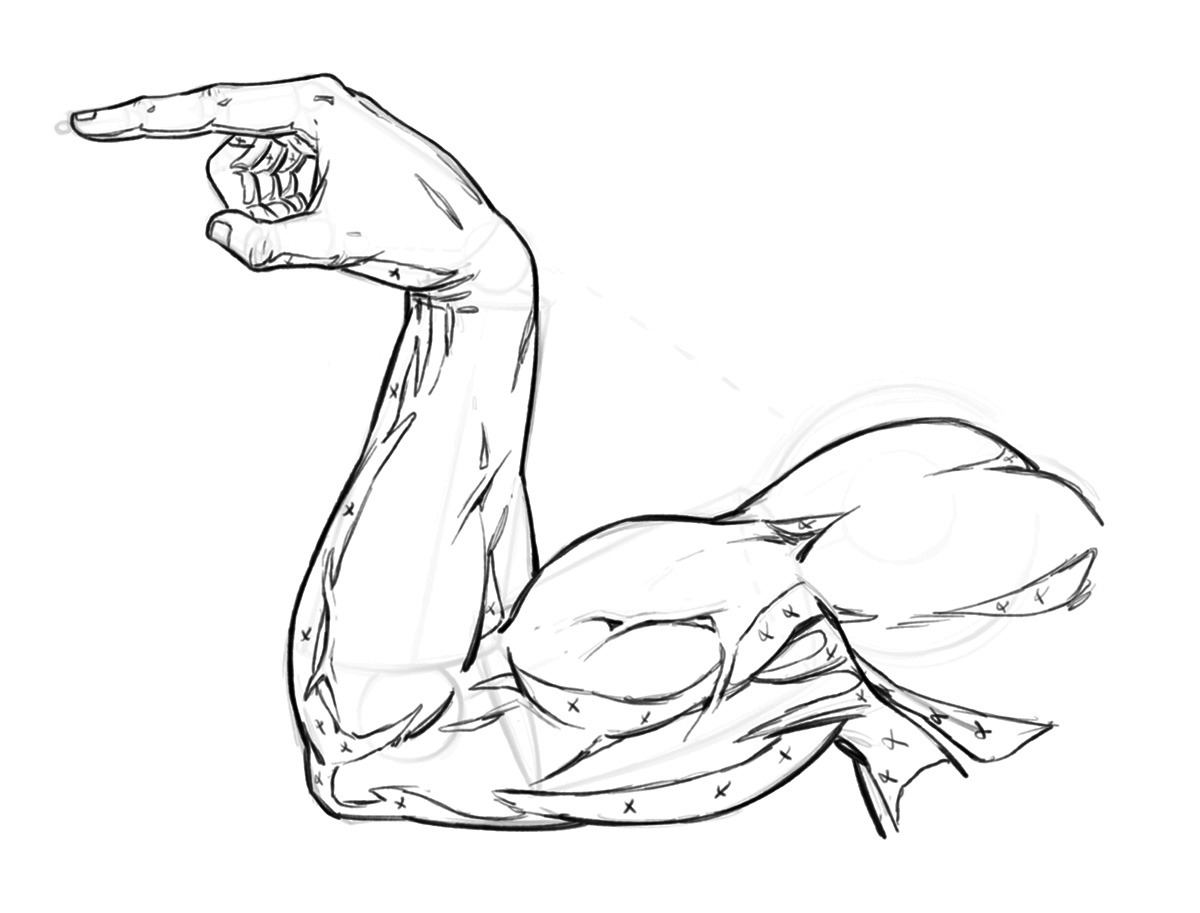
Step 5 – Draw in the shapes of shadows to your muscles. And if you are working with an inker make sure to sketch the small x’s so they can read the artwork more clearly. You don’t necessary have to do this step if you are your own inker but it doesn’t hurt to get in the habit, just in case!
Drawing an Arm Pose – Step 5 – Adding in the Shapes of Shadows
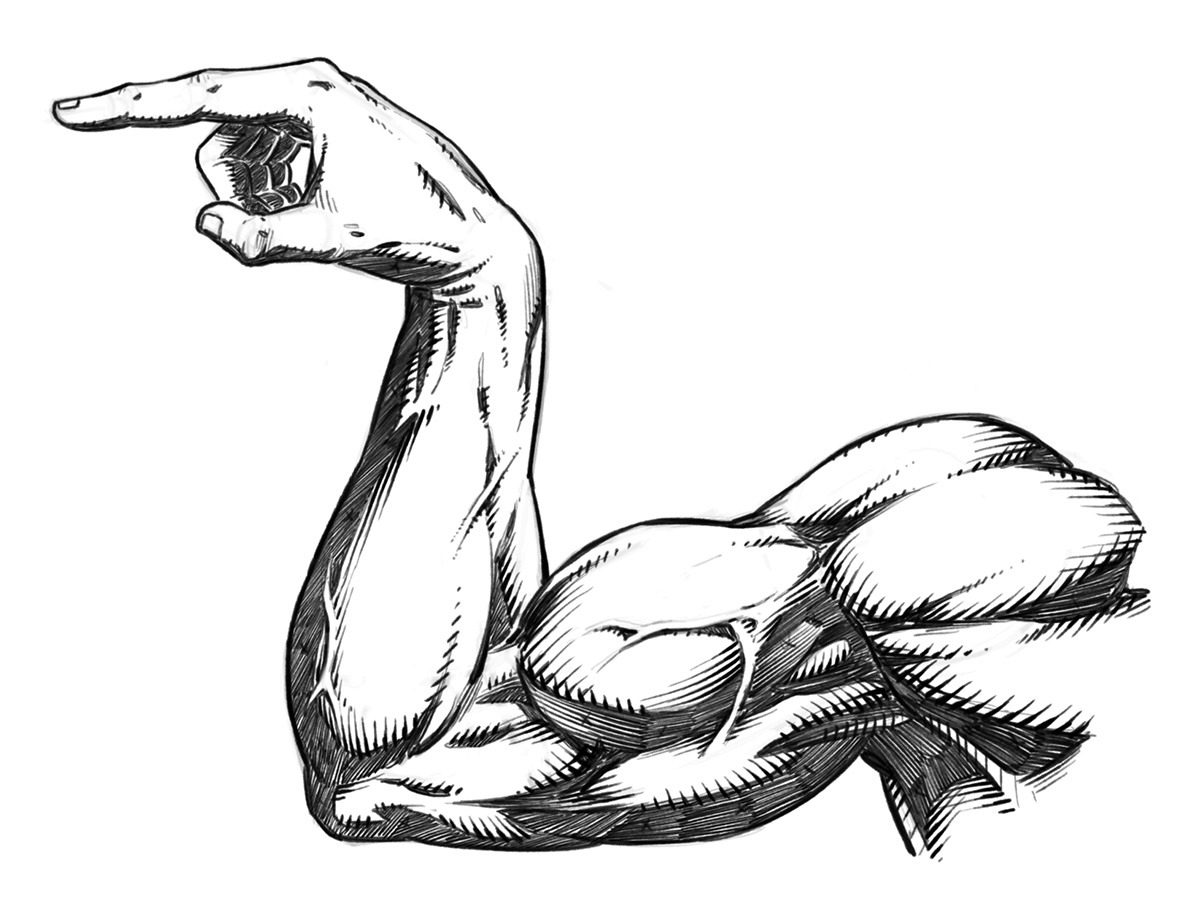
Step 6 – Now add in your rendering lines and really start to make the artwork pop off the page. Notice how the veins cast a small shadow of their own on one side. And, how they catch light on them even in the shadow of the arm. This is more stylized but it gives the appearance of depth. Overall this is a very stylized arm drawing but that is the fun of comics, not everything has to be entirely accurate!
Drawing an Arm Pose – Step 6 – Rendering and Cross Hatching
I hope you’ve enjoy this quick tutorial on stylized arm anatomy for comics. This is a sample tutorial from my book “Learn to Draw Action Heroes” which you can find on Amazonor at Barnes and Nobel.
Choosing the Right Screen Protector for Drawing on Your iPad Pro can be tricky and there are a few things to consider. The main things are protection from damage, a better surface to draw or paint on, and protection for your eyes. We will primarily focus on the drawing aspect today.
So you have an iPad Pro and Apple Pencil and you’re not digging the slick screen right? Been there and done that and I want to share what I have learned with you.
Now before we get started, please keep in mind that we all have different needs so this will not apply to everyone the same. Hopefully my experience will save a few of you from timely and frustrating mistakes. Ultimately it may take some trial and error to find what works for your specific needs.
First let me explain what I have used in the past and what the Pros and Cons have been. I purchased the first Genenteration iPad Pro and Apple Pencil 2015 version. ( Look for the big home button on your device before making your purchase! ) It still works great by the way. I started drawing on the screen and although it didn’t feel natural it was still amazing to work on. I knew from working on the Intuos tablets that digital art just isn’t exactly the same and it takes time to adjust to any new device.
After a while I started to look for the screen protectors that would also give me a more natural drawing experience and save it from any accidental damage of course. I did a ton of research online and landed on the Tech Armor Antiglare protector. You can view it here on Amazon – https://amzn.to/3kGpwI3
Tech Armor Antiglare is my 2nd Favorite Choice!
The Tech Armor Antiglare Protector is still my number 2 on the list. It slows down the Apple Pencil slide and softens up the feeling of the hard glass screen. For me that was a big game changer. I was finally able to draw on the iPad Pro more naturally and stay in the moment of creating the art that I love to create. Comics baby! 🙂
Over time, many new screen protentors hit the market and a lot of them boast things like – Paper Like, the feeling of Paper, etc. I didn’t worry too much about it but as mine started to age I began to look around. I wanted to try one of the Paper Like products and here is the one that caught my eye based upon the reviews – https://amzn.to/2IIBWSA
Paper-Like…More like Sand Paper-Like!
I actually enjoyed this for all of about 2 days. It started to get very annoying very quickly. Not only does your 2 finger pinch and zoom not work as well, you can start to see an effect on the Apple Pencil nib. ( Not cheap to replace those little guys! ). So I started to think the Paper-Like feeling just wasn’t worth it. Besides it really is too coarse in my opinion. More like a fine grit sand paper. So I ripped it off and went back to my Tech Armor.
I still felt like I needed try something else. Don’t get me wrong the Tech Armor antiglare is nice but it stills has a bit too much slide for me. So I decided to keep trying. I then tried the iCarez Antiglare protector. You can view it here on Amazon – https://amzn.to/38PEZTE
iCarez Antiglare Screen Protector
Not only did I like this one more but it was also cheaper. It slows down the Apple Pencil a bit more but without the sand paper like feeling. I have been using this one for weeks now and it doesn’t negatively impact the nibs either. I am back to drawing on my device and not getting distracted about sliding around on the slick screen and that keeps me creating, which I love!
Keep in mind that all of these protectors will knock back the clarity of the screen. That isn’t as big of a deal for me since I typically only draw comic art but your needs may vary. To me its minimal on the Tech-Armor and the iCarez but be sure to read the reviews about what applies to your type of work. Another tip is to find someone who creates a similar style to yours and find what works for them.
Keeping the Surface Clean is a Must!
You also want to be aware of your own skin oils. Sounds gross right? Your hand is going to leave oils on the screen protector so clean it with a microfiber and sometimes with a small amount of water and or light cleaner. Nothing too aggressive so it doesn’t destroy the finish. By keeping the oils off the screen protector you will retain the optimal feeling for drawing. Just my two cents of course, you may prefer an oily screen…I don’t know you very well. lol
Remember, we all have different levels of sensitivity and needs when drawing and painting. So do your research and you may need to try one or two options before landing on your preferred choice. It is worth it when you find what you looking for since eliminating those irritations will keep you in the creative moment.
Happy to announce that I will be hosting my courses here now https://ram-studios-comics-art-school.teachable.com Not to worry if you are a student on the other platforms, I will still be taking care of you and adding new content. This new site will allow me to address certain needs that have come up time and time again.
For those of you that are new here, my name is Robert A. Marzullo and I have been creating online courses for over 7 years now and it has been an amazing journey. I have been able to help over 120,000 students from all over the world. I get to see their progress and offer feedback or encouragement where I can. I am extremely grateful to be doing this for a living.
I have been primarily using Udemy, Skillshare, and Gumroad to host my content. They are all great but they all have some major flaws as well. With Udemy and Skillshare I have to be careful how I communicate with the student. I cannot direct them off site for one. That can be a problem when I need to help the student but afraid to get a strike from the platform. Skillshare is pretty great overall but I can’t currently respond to students with any draw overs. Those are really helpful to show someone exactly what I mean in a response to their question.
What will I learn?
The main things you can expect to learn from this site are figure drawing, comic art, benefits of digital art programs and how to use them, traditional art techniques, creature design, and character design. I also want to help artists realize their potential at achieving success. It amazes me that so many talented people fail to achieve their goals when they have so many awesome opportunities these days.
The primary Art applications I use and teach are Clip Studio Paint, Procreate, Photoshop, and Sketchbook Pro.
Here are some of the great features of the new site –
Better lesson structure with comments + images attached to each lesson.
Live-streaming options to be help students and offer mentor ship programs.
More control for me to communicate with you properly without worrying.
Specifically designed and focused on art education.
Better overall student experience.
I will be uploading all my courses here in the next few days. I already have a couple of my most popular courses on there. Be sure to sign up for updates if you are interested in knowing more.
This should be a huge help for everyone involved. Feel free to give me any feedback you have or let me know if have any questions.
Thank you for your continued support and good luck with your art!
Are you a fan of custom brushes for Clip Studio Paint? I know I am! They save a ton of time and can really open up some new ideas when utilizing them. If nothing else, they are just plain fun to use!
I have been creating brushes for years now. I started in Photoshop about 15 years ago but quickly feel in love with Clip Studio Paint’s brush engine. It is the absolute best on the market so far. Not only does it have a supperior use and control of the “Ribbon Effect” it also supports full color brushes. As well as controling the two primary colors with the Foreground and Background swatches. Super effective in my opinion!
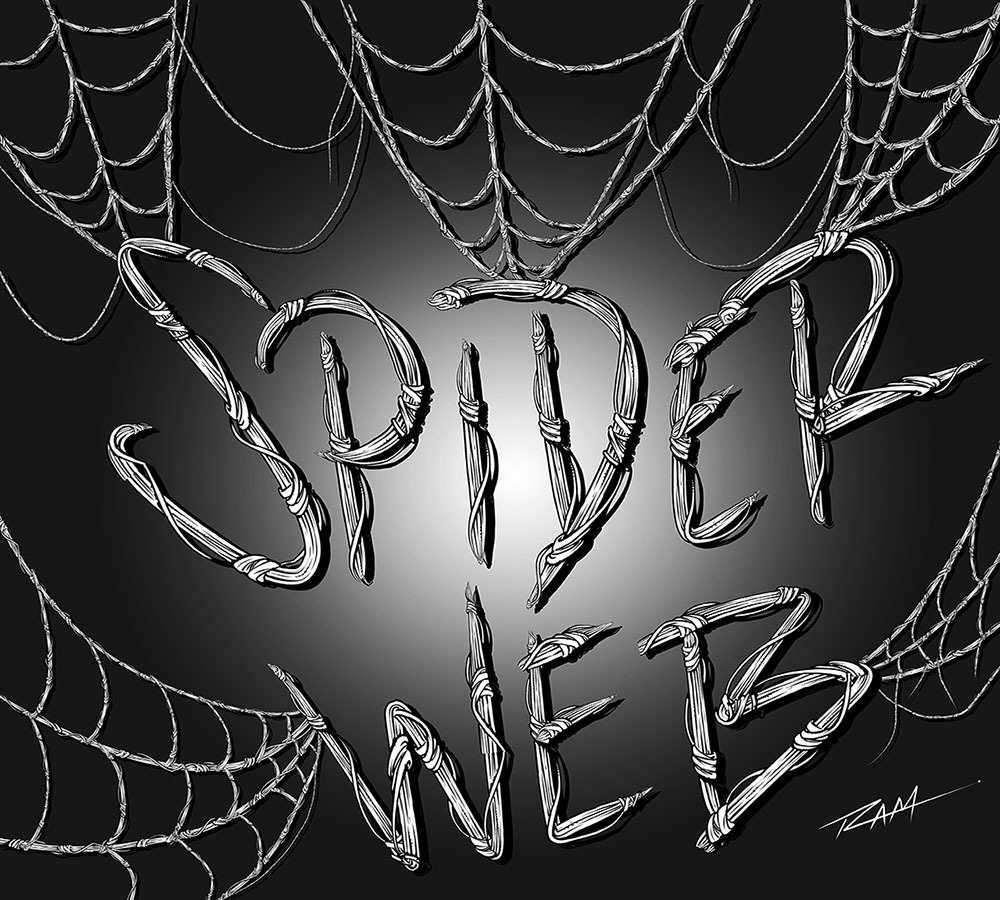
The new brushes that I just added are focused on repetitive patterns or “Ribbon Effects”. Things like Chain Links but with a comic style line art applied to them. Or my latest brush… Spider-Webs! I draw Spider-man a lot so with will save me years of webbing! 🙂
Spider-Web Brush by RAM
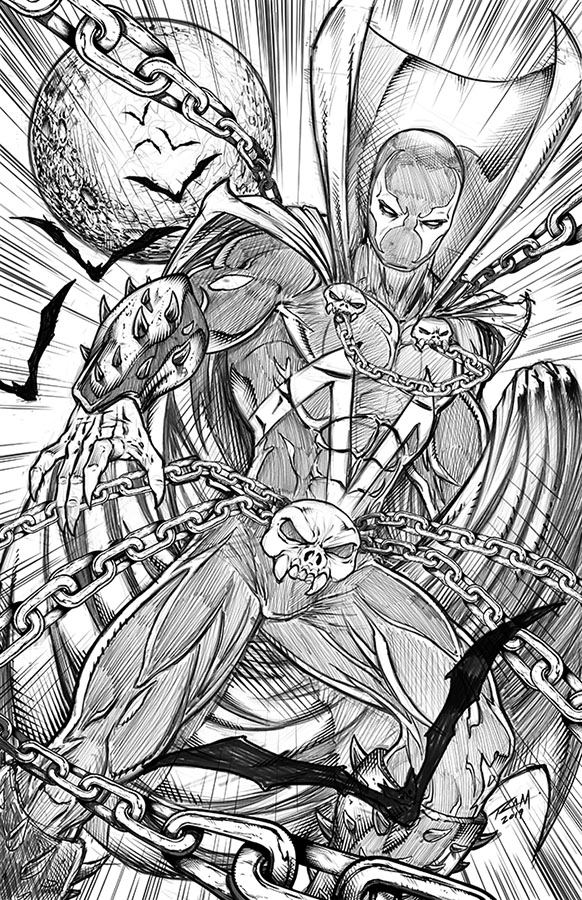
Here is an image of Spawn that I drew in the Procreate app and then added my custom Chains Brush in Clip Studio Paint.
Spawn Comic Art by Robert A. Marzullo ( Character is Property of Todd McFarlane. )
So hopefully you can see how these brushes can be very useful as well as huge time savers. This is just how I use them so feel free to experient with your own creative illustrations!
Both include the new brushes and more Comic Art Style brushes will be added as soon as I create them. Feel free to let me know which brushes you need and I would love to see the art you create with them!
Thanks for stopping by and best of luck with your art journey!
Ever wonder what steps you should take to improve your comic style art?
I always get this question, “How can I improve my comic art?” I will admit the most common answer you will ever hear in your life is Practice! It’s is the answer that no student wants to hear. I remember hearing it and thinking, “I practice like a madman already. How much does it take?”
Instead of giving you the lazy answer, let’s delve into the details a bit more. It isn’t enough to know that you need to practice a lot. You need to know what to practice and why. You also need a few other concepts to think about. Strangely enough, it’s not all about practice. Let’s jump on in!
Practice Poses as Often as Possible!
TIP#1 Practice Daily!
Wait! You just said?! I know, it seems like a low blow doesn’t it? It really is the first and easiest answer. You have to practice daily to improve. Long gaps will hurt your development.
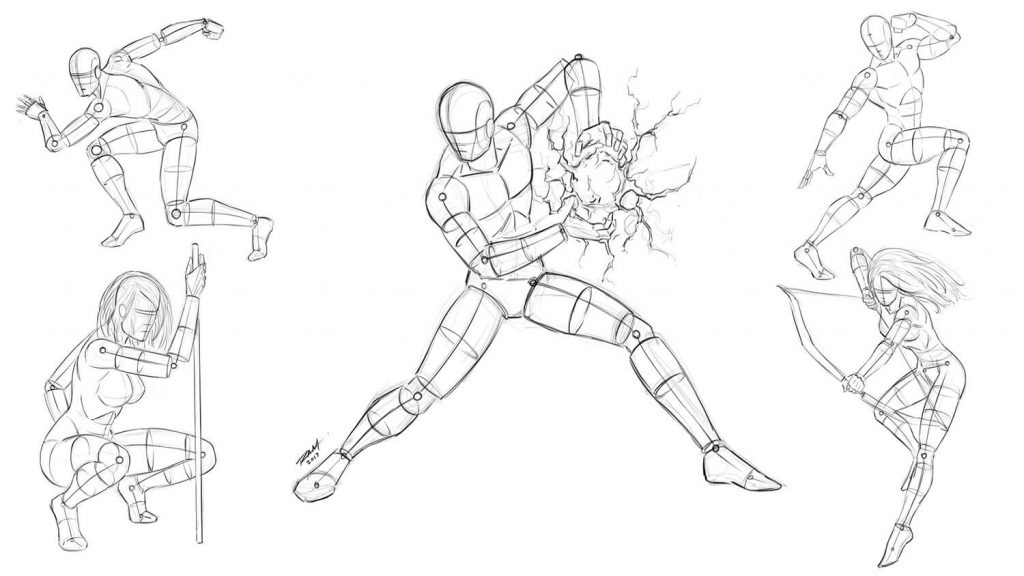
What should you practice is probably the best question but you have to answer that one for yourself. Find the weakest link in your chain and make it the strongest. If you can’t draw faces but you draw really great muscles then you know what you need to do. It is hard to do because we gravitate to what we are confident at.
So fight the habit and dedicate a good portion of your studies to what matters most or something that is holding your work back from being amazing.
TIP#2Create Finished Art!
You need to create finished pieces of comic art or you are setting yourself up for potential failure. Sketching and studies are extremely important of course but if you don’t focus on completing your work you won’t develop a strong portfolio and ultimately won’t secure any work.
People don’t commission or hire based upon sketches. Finishing your art pieces will also force you to deal with the fact you may not be able to draw feet, hands, or faces. It is easy to hide those things in rough sketches. ( Maybe not the faces. )
Completing your work will also make you fully aware of how fast or slow you can draw. Extremely important if you hope to work as a professional artist.
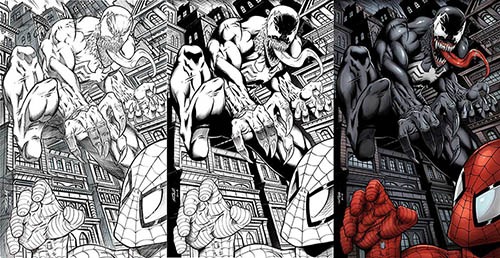
Venom and Spider-man – Stages of the Artwork
TIP#3 Ask for Constructive Criticism!
The reason I say to ask for it is I feel that if you request it, you are far more likely to receive it as sound advice. We have all gotten someone’s unwanted criticism at times and just decided to not accept it. Truth be told, it only hurts you to keep a closed mind to it.
Even someone that is a complete stranger draws like a 5 year old and has a profile pic of road kill could still be a fantastic art critic with sound advice. It’s not always going to come from someone you admire and it is more about how you choose to use the information.
When you jump into the professional world anyone and everyone can quickly become your critic and even your boss. Best to get used to it now and stomach your sensitive little ego!
TIP#4 Get Back to the Basics!
We sometimes get to a certain level in our art and we think we are the next Jim Lee or Todd McFarlane so we go for more advanced drawings. Hoping to hide any flaws in our work by applying our fancy smancy rendering techniques. It’s okay to practice this once and a while to develop our “Eye Candy” effects. Just don’t do it every time and think that no one can tell that your characters are stiff as cardboard cutouts or that your page compositions are as interesting as peeling potatoes on a Saturday night.
Getting back to the basics of drawing gestures, primitive shapes, understanding perspective, composition, understanding your tools, jumping back into your art books, and so on is often overlooked because we think we are better than we actually are. It is easy to get caught up in all the “likes” on social media from people that want to be supportive of our work or just get a bit of tunnel vision.
We have to remember that our polished art needs a sound foundation to rely upon. Only then can it soar to the heights of Mount Olympus or whatever fantasy reference you prefer.
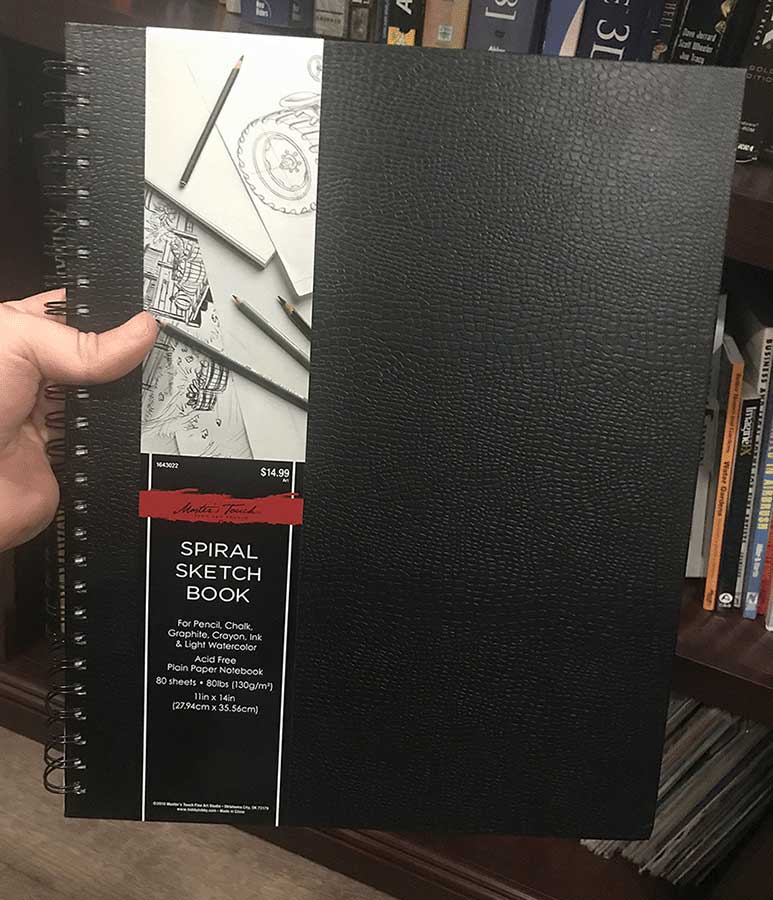
TIP#5 Keep an Actual Sketchbook!
I really wish I would have done this more consistently through my younger years. I have tons of sketches on loose pieces of paper and although I love sifting through those fond memories a lot of them aren’t dated.
A series of completed sketchbooks gives you a more somewhat linear view of what you have accomplished. You still need to be adamant about dating your work of course. Sketchbooks are much more organized and as artists we need all the help we can get in that area. ( Well, I do at least! : /)
Sketchbooks are Very Important to Track Your Progress!
TIP#6. Go to the Comic Conventions!
This is so important if you truly want to be a professional comic book artist. The comic conventions are an amazing way to learn and grow as an artist. Even if you don’t like spending money to have a table, it is still a great experience to attend and show your work around.
This part ties into the constructive criticism from Tip #3. Showing your comic art and starting some dialogue with others about it, will teach you a lot. Just be receptive and leave your ego at home. You can’t fill a cup that is already full, right?
Also, the conventions give you a “behind the scenes” look at what works and what doesn’t. Speak to as many artists, writers, and editors as you can. The nuggets of advice you will learn from them is priceless!
TIP#7 Update your Portfolio Often!
As you complete new works of art, update your portfolio. Don’t just add to it either. Your better works should incline you to show the lesser works to the nearest exit. Your portfolio should only have room for your best comic art.
Don’t make the mistake of showing an editor a stack of sketches mixed with a few covers. It should contain 10 to 15 of your best pieces of art. It should also reflect what you want to be as a comic artist. If you want to draw books, then you need sequential storytelling not a bunch of pinups.
Also, if you do show this work to an editor, don’t make excuses on why it isn’t your best work. Only show your best work and listen more than you talk. Becoming defensive shows weakness. Just take notes and go back to the drawing board and make improvements.
In my opinion, you should also make sure to include a nice range of your abilities within those pages. Draw people with expressions and emotions as well as super-powered heroes punching through walls. Make good use of perspective and include lots of props like cars, street signs, a damaged fire escape, and so on. It shows that you can draw lots of little details and enrich the scene. If you can illustrate a scene with lots of clutter and make it read well visually then you have an edge on a lot of artists. Don’t be they guy or gal that draws superheroes against a blank white canvas all the time!
TIP#8 Draw with a Focus!
It’s not good enough to just draw. You have to have a focus. This sort of ties into Tip #1. You have to go into your drawings with a purpose.
Are you going to draw an amazing piece of fan art to show the world what you can do with their favorite character? Are you developing your studies of anatomy and poses for the next few hours? Are you going to strengthen your understanding of “Dynamic Light and Shade” with the Amazing Burne Hogarth Book you picked up? Get it here with my Amazon Link – https://amzn.to/2YsP0yO ( I highly recommend all of his books! ) Are you going to enhance your speed by doing timed studies of areas within your work?
Having an intention and focus is much more powerful than simply drawing whatever pops into your melon. It allows you to maximize your efforts. You will learn much faster by doing this and not get burned out so quickly by spending time on the wrong aspects of your work.
TIP#9 Sell your work!
You may think that this is only reserved for the pros. So not true! I started my art business in high school. I would barter my amazing ( unrefined ) art skills for good grades and social status. We all know good grades may eventually help you pay the bills but you might say, “You can’t pay your bills with social status.” Maybe not directly but it will translate to income over time.
It’s basically branding and self-promotion. Becoming the guy or girl known for being an amazing artist will get you the word of mouth that sells the work. So why all the enfasis on selling your work. It teaches you a lot about how the real world process will work.
Being able to take instructions from a client, negotiate a deal that is mutually beneficial, make changes as needed, communicate clearly, tame your ego, and deliver your artwork on a deadline. This Tip will probably teach you the most about yourself and if you can’t do this for regular joe’s then you may not be ready for the big leagues.
TIP#10 Use Reference and Draw from Life
Just because we are comic artists doesn’t mean we can’t use reference. In fact, it is quite the opposite.
Reference can take a decent artist and turn them into something amazing. I am all for drawing from imagination as much as possible but sometimes you just have to feed the brain box. Draw from life and interpret it into your own style. Then your comic storytelling will know no bounds.
Your fans will love seeing all those references ran through your creative filter. Just don’t trace or else you will weaken your ability to convert things into your own style or make changes as quickly.
TIP#11 Study from the Masters
Masters can be anyone that you admire really. They don’t all have to be Leonardo Davinci for you to learn from them. Knowledge hides in the most inconspicuous places.
Make sure to study the work but not copy it or pass it off as your own vision. If you adhere to the original work you need to credit the artist. That being said, it is actually a fantastic way to level up your art skills. It allows you to peer through their eyes and follow the choices that they made.
As a comic artist I often ink the work of others that I am inspired by. Not because I want to be an inker but because I learn immensely every time I do it. Their lines are amazing to me for a reason, so inking their work can demystify some of the process. Plus, it’s just plain fun to do! 😉
These are just some of the things I do to improve my comic art on a daily basis. I hope you find these tips to be valuable and I would love to know what are the ways your improve your art! Comment below and feel free to share the post if you enjoyed it!
Sincerely,
Robert A. Marzullo
Ram Studios Comics
Want to learn more about my comic art process. Check out my courses below…
How to Improve Your Figure Drawing – Step by Step –
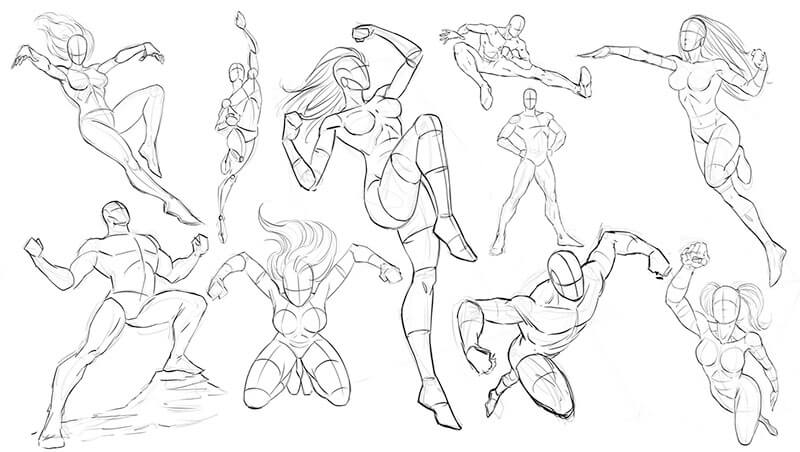
In this course, you will learn how to draw dynamic superheroes step by step. You will work along with me as we break down all the major components that comprise the superhero characters that we know and love. You will learn about proportions, anatomy, suit design, foreshortening, rendering, perspective, and how to draw dynamic poses from your imagination. These action poses are essential to creating powerful characters that can tell an amazing story!
If you want to improve your ability to draw a variety of characters effectively, then this course is for you. The techniques that I will teach you here can apply to all sorts of art styles. Everything from game art, comics, concept art, and even figure drawing. These methods will teach you how to draw imaginative bodies with confidence.
I am very confident you will find this course to be a valuable asset in your educational collection but if you find anything that would make this a better experience for you and the other students, please let me know. I will be happy to improve the course content as well as add new lessons when needed.
You also get all the art files to work along with throughout this course. Please share your artwork in the Q&A Section and I will give you any feedback that I can.
I thank you for viewing my course and good luck with your art!
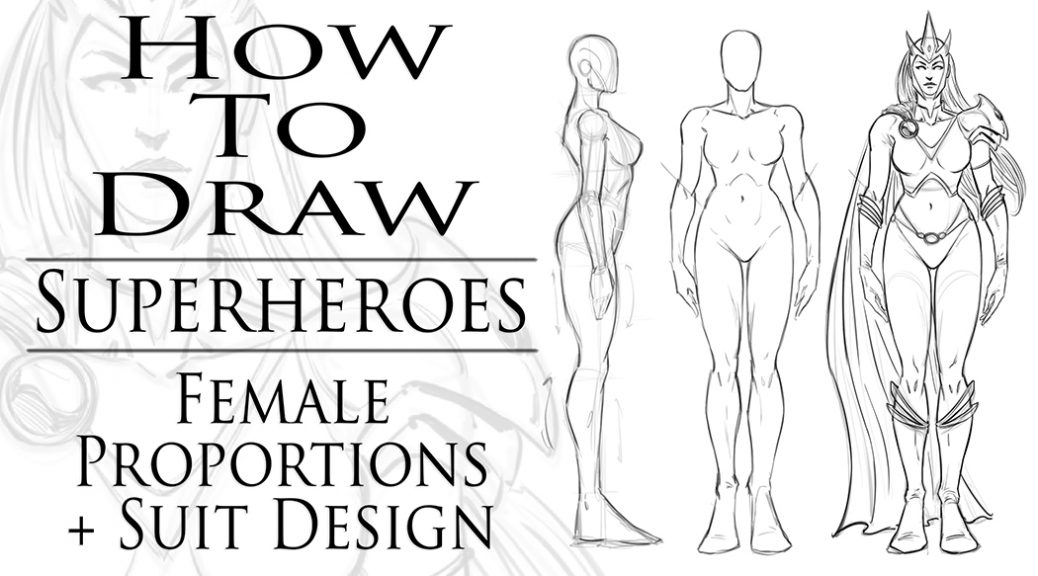
How to Draw Superheroes Female Proportions and Suit Design
I just created a new Skillshare class to add to my next course on, “How to Draw Superheroes – Start to Finish!” This will be just another part to the course that will be packed full of great information!
In this particular lesson we will cover basic proportions of the superhero female form. You will learn how I draw a turnaround of a character, then how to apply anatomy and a suit design. Breaking down the process can make it much easier to accomplish.
This can seem like a basic lesson but I assure it is a very important one to practice. Turning the character around on the page gives you a great sense on how they look from these basic angles. Then drawing them in more dynamic poses is easier to envision. Don’t worry, we will get into all that advanced stuff later, I promise!
If you want to just buy this course you can get it on my Gumroad page here. Just please keep in mind that you pay for the full course now and get the lessons as they are completed. I will be adding new lessons each week until the course is completed. https://gum.co/zgpix
By the end of this course we will cover all the various techniques I use to create comic book heroes. Things like proportions + distortions of the body, dynamic anatomy, suit designs, powers, rendering/crosshatching, shapes of shadows, action poses, foreshortening, and by the end of it we will complete a full scene creation to put all that knowledge to the test.
I hope you will join me for these lessons and I am here if you have any questions. As always keep drawing and keep having fun! 🙂
I hope all is well on your side of this crazy rock. I am having fun drawing some new fan art and I wanted to share a few things I have learned while doing so. For those of you that don’t know my process let me explain. I have been drawing comic art for over 20 years now and I used to work on good old bristol board but a few years back I decided to start working digitally. ( I was a messy inker! :>) I know people are rolling their eyes right now. Real artists use traditional tools, right? I get it, you’re in love with the feeling of real paper. I don’t blame you, I draw on paper as much as I can too. Something about it just feels…..you know…natural! I switched because I am a big fan of technology and I like to be on the forefront of it all. Plus, I really just wanted to ink digitally but then later realized the pencils were possible as well. By creating all of it digitally I was saving a lot of time. I no longer had to scan my pages which was always a pain. I know a lot of artists just don’t want to make the switch. I truly don’t blame you, to each their own I guess!
So when I started drawing digitally I bounced around to a few different drawing softwares. I quickly realized Manga Studio 4 could create full comic books as a single document and gravitated over to that. I was a little less than enticed about the drawing process on there. I was still using an Wacom Intuos 3 at the time so that was a bit of a hinderance as well. I hadn’t fully gotten used to drawing on a “lap tablet” as I like to call them. Then I switched to Sketchbook Pro for the pencils and it started to feel more natural. Once I finally upgraded to a Wacom Cintiq 22, I was like a kid in a candy store! I finally had a really nice drawing experience going on. I could pencil and ink all on this device and with the two programs I felt like I was really getting somewhere.
With each new update the programs have gotten better and better. ( For the most part. ) I still didn’t feel like I was creating to the level that I could achieve on paper though. Keep in mind, there is a learning curve with any and everything, so part of it could have been that. I truly believe you can create amazing art with anything if you put your mind and heart into it!
Almost two years ago I started hearing people talk about the new iPad Pro coming out. I was a bit skeptical at first. Maybe good for amateurs but I am a pro and I need a big fat Cintiq on my table. ( By pro I mean a starving artist of course. lol ) Upon seeing other artists work on this device I was quickly sold. I loved the fluid marks they were making. I also thought the Apple Pencil looked more comfortable to work with. Plus I really wanted to be portable with my art creation process. After taking the leap of faith I was quickly at home using the device. It was very intuitive and I was creating the style of art I like rather quickly.
The only issues I had was not being able to use all my favorite programs. I felt a bit stuck. I really enjoy the feel of the device but was missing some great apps to take advantage of it. I even used Astropad for a short time to help bridge the gap but it didn’t fit well into my workflow. I then started using Procreate more and more. Within a few updates this app was really starting to appeal to me. Plus, it records videos and I am such a Youtube junkie these days! 🙂
The Procreate app is extremely well designed. It moves quickly and the interfaces is so streamline you will forget it is there. The brush engine is nothing short of amazing and it has the most natural drawing experience I have found thus far. The Venom art above was drawn in this app. About 90 percent of my work is done there now. I still jump over to my Cintiq when I need dual monitors and have to get some multi-tasking done but I quickly jump back over to my iPad Pro and Procreate combo to knock out some sketches or comic art.
So I just want everyone that reads this to know that the iPad Pro and Procreate is a VERY solid solution to creating professional art on the move. Great battery life and stable as can be! I am here if you have any questions I can help with and if you want to learn more about how I use these two together you can check out my Udemy course here – https://www.udemy.com/procreate-like-a-pro-create-awesome-digital-art-on-an-ipad/?couponCode=RAMCOMICSPOST101
Good luck with your art and thanks for your support! 🙂
I currently have 10 Courses available on Udemy. I have received some amazing reviews and the platform is very well done. If you are not happy with the content and my teaching style you have 30 Days to refund your course. I only want you to pay if you are extremely satisfied with my efforts! I am here to answer any questions you have so don’t hesitate to ask.
Here are my discount codes to get any of these courses at $10.99 with lifetime access on any device –
How to Draw Dynamic Comic Book Superheroes – Start to Finish
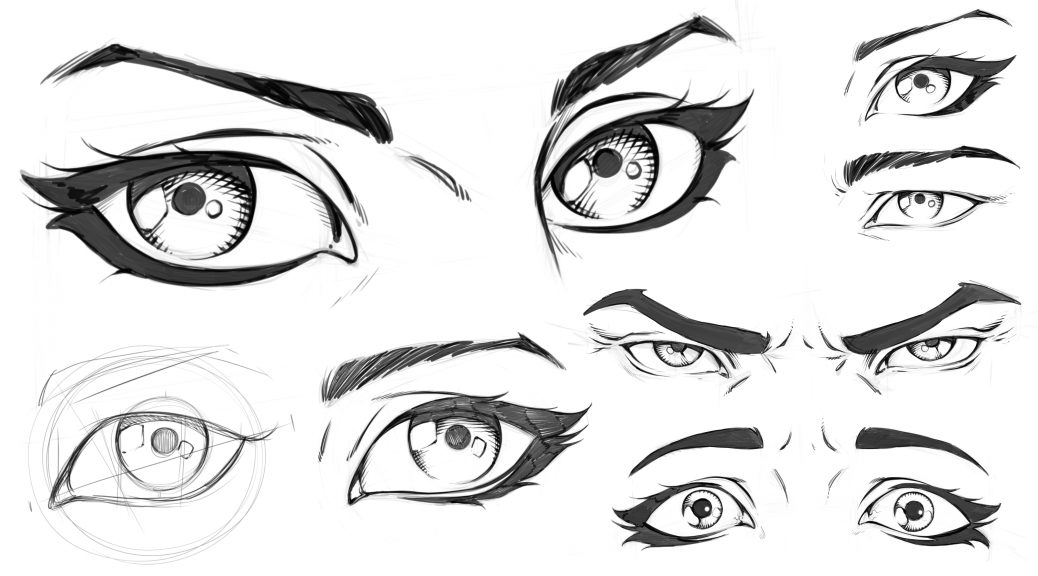
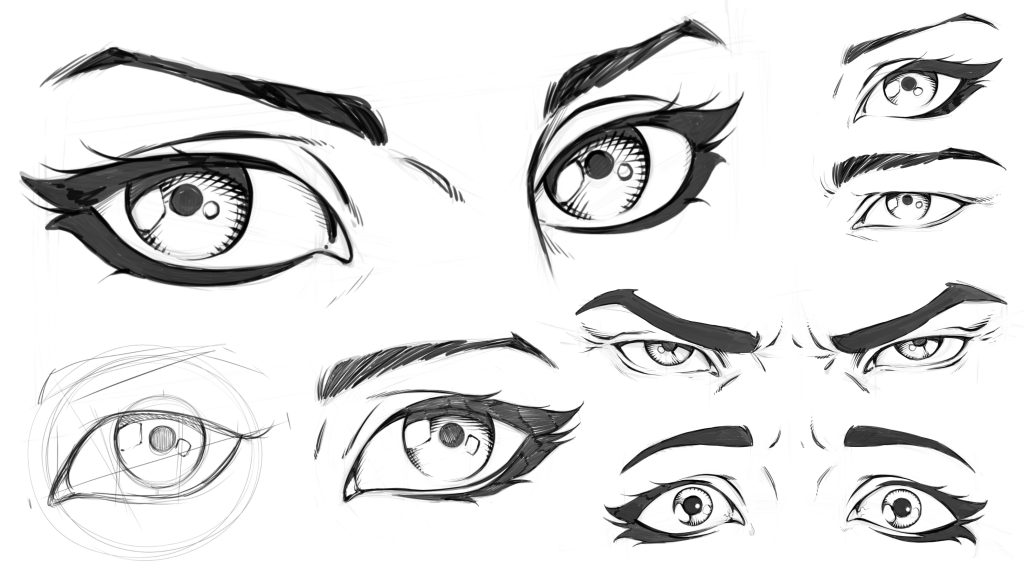
In these lessons you will learn how to draw eyes in a variety of ways. You will learn how to draw eyes on an angle. We will cover how to break down the eye shapes and what to look for when drawing male or female eyes. Then you will learn how to draw youthful or aged eyes. You will also learn some rendering techniques along the way.
This class is 5 lessons / 1 Hour Total. These lessons are not software specific and they only focus on the drawing techniques.
Lesson 1 – Constructing the Eye
Lesson 2 – Drawing Eyes on an Angle
Lesson 3 – Drawing Male Vs Female Eyes
Lesson 4 – Drawing Eyes with Anger and Fear
Lesson 5 – Drawing an Eye Young and Old
You will also get the art files to work along with.
Let me know what you think of these lessons and I am here if you have any questions!
An Educational Resource for Comic Art Creators and Digital Painters.
Deprecated: trim(): Passing null to parameter #1 ($string) of type string is deprecated in /home2/h0a3d1p3/staging.ramstudioscomics.com/wp-content/plugins/simple-lightbox/includes/class.utilities.php on line 545